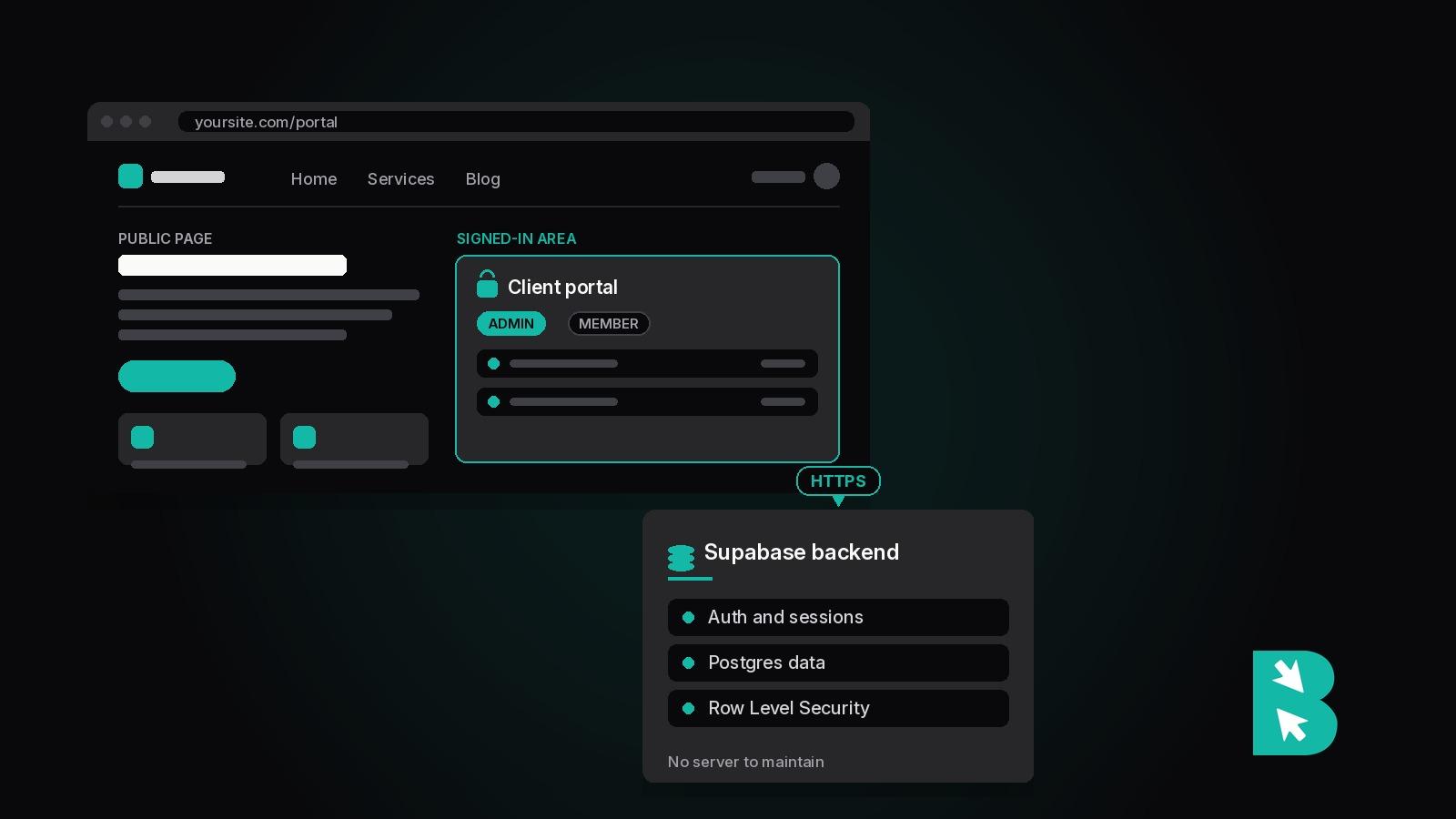
A BrightSite customer runs a two-portal business application, sign-in, role checks, dashboards, on ordinary BrightSite pages. There is no React codebase, no deploy pipeline, and no server they maintain. The pages talk to a Supabase backend directly from the browser. This post explains how that works, when it's the right architecture, and when it isn't.
The short answer
Yes, a website builder can host a real web app, if two things are true: the builder lets you run your own JavaScript on its pages, and you pair it with a hosted backend service. The builder's job is what builders are good at: fast hosting, a custom domain, editable pages, forms, SEO. The backend service's job is accounts, sessions, and data. On BrightSite, that backend is typically Supabase, and the full pattern is documented in our guide to using BrightSite as a Supabase frontend.
What the architecture looks like
Three pieces, none of them exotic:
- Pages on the website platform. Public pages (homepage, services, blog) plus app pages like
/loginand/portal, all editable in the normal editor. - A backend service. Supabase provides Postgres, authentication, and file storage as a hosted service with a JavaScript client that runs in the browser.
- Client-side JavaScript connecting them. The login form calls Supabase Auth directly; gated pages check for a session and load data after sign-in. Roughly 30 lines of code for a working portal.
Credentials never touch the website platform's servers; they travel browser to Supabase over HTTPS. Access control lives in Supabase Row Level Security policies, the same mechanism a hand-built React app on Vercel would use.
What kind of apps fit
The pattern carries more than people expect: client portals, member areas, internal dashboards, booking status pages, waitlist tools, quote calculators that save state. The common shape is a real website with one signed-in corner. That customer's two-portal system, with role-based access checks and an admin gate, runs entirely on this architecture.
What doesn't fit
Be honest about the ceiling. A website platform runs no server-side custom code, so these belong elsewhere:
- Apps with secrets that can't live in a browser (third-party API keys, payment processing logic). Supabase Edge Functions cover moderate cases; beyond that you want a real backend.
- Complex multi-view products where the app is the whole business. An AI app builder or a hand-built stack fits better; our roundups of Lovable alternatives and Bolt.new alternatives map that territory.
- Heavy computation, background jobs, or anything that needs a server you control.
Why choose this over an AI app builder
Prompt-to-app tools like Lovable and Bolt.new generate a codebase and hand it to you. That's the right trade for a genuinely custom product, and the wrong one when the project is mostly a website: you end up maintaining a React app to serve what a website platform serves natively, and the website fundamentals (fast loads, clean URLs, a blog, forms that just work) come harder, not easier.
The economics differ too. App builders charge per prompt or token, so iteration has a meter running. A website platform charges a flat rate and you edit as much as you want, visually or through AI: BrightSite's MCP server lets Claude or ChatGPT build and edit pages directly, including the app pages in this pattern.
One security rule to respect
The page is public; the data is private. A client-side session check keeps casual visitors out of the portal page, but anything written into the page's HTML can be read by anyone. Keep every piece of private data in the backend, fetch it after sign-in, and let Row Level Security decide who sees what. Follow that one rule and the security posture matches any standard client-rendered app.
Getting started
The BrightSite + Supabase guide walks through the six steps with code: create the Supabase project, build the pages, load the client, wire the login, gate the portal, and lock down the data. A working portal is an afternoon of work, and the marketing site around it is already done, because it's the same site. If you'd rather have AI do the building, the open-source brightsite-skills repo includes a supabase-portal skill that walks Claude or any MCP client through the same steps on your site.