











For agencies

Every client site.One login.

Run every client site from one login, with the maintenance gone and your agent doing the routine changes across all of them. No plugins to update for anyone.

  1. 01

    See every client.

    Each client site is its own organization. One list shows them all, with visitors and page counts.

  2. 02

    One request, every site.

    A single agent connection reaches every site you have access to, so a change for all your clients is one sentence.

  3. 03

    Hand clients the keys.

    Invite clients with exactly the access they need, like editing without publishing.

By hand or by asking

Client work, at agency scale.

Do it in the app, or connect Claude, ChatGPT, or Codex once and work across every client site.

Check on every client

Open each site's analytics, or scan visitors for all of them in the organizations list.

Ask which clients need attention. The agent pulls analytics for each site and compares them for you.
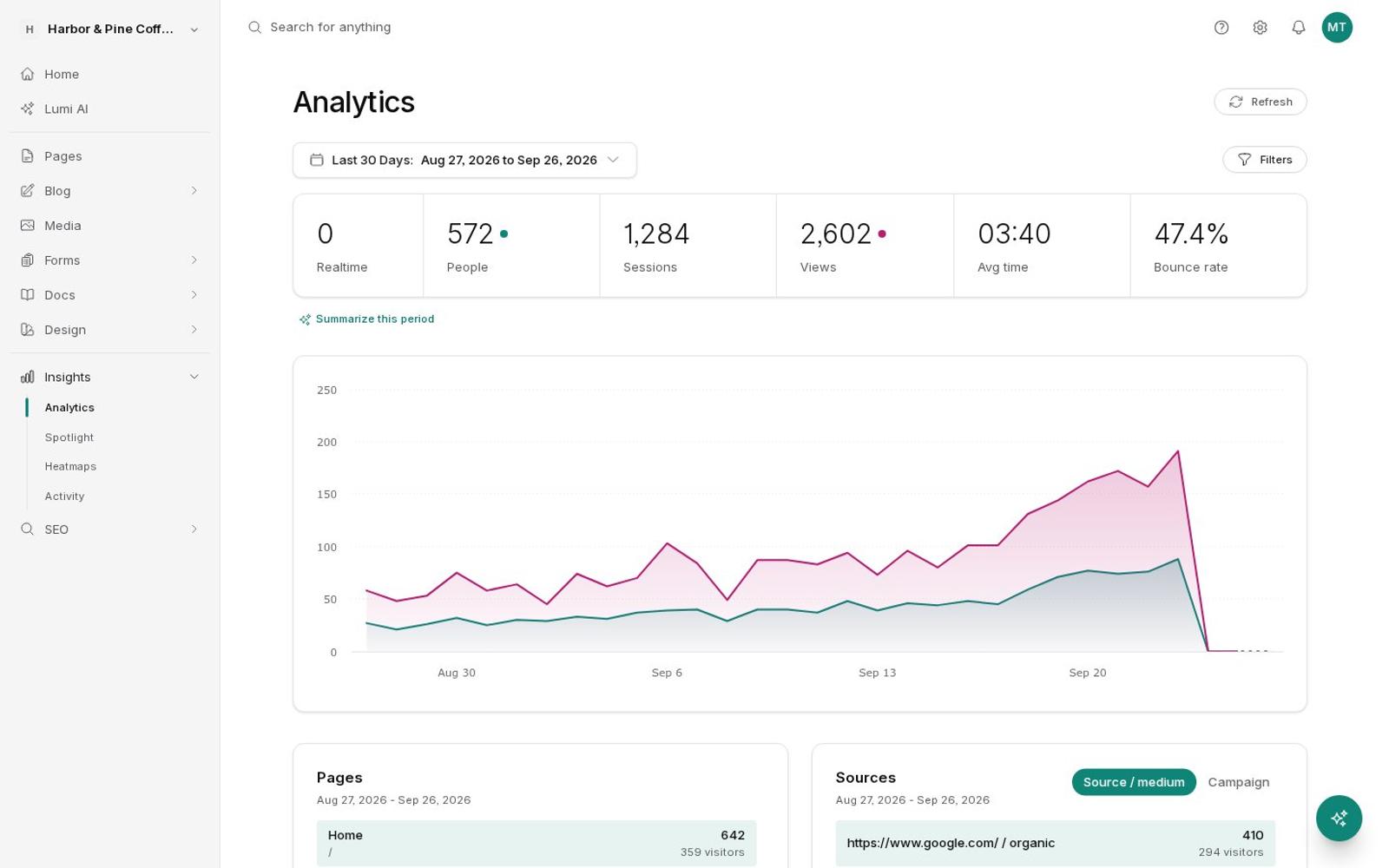
Analytics for one client site
Prompt

Which of my client sites had fewer visitors this month than last month?

List accounts8
Get analytics× 8
Two are down: Hale & Whitmore dropped 22% and Grace Ridge 9%. Everyone else grew. Want a closer look at Hale & Whitmore's top pages?
Give a client access

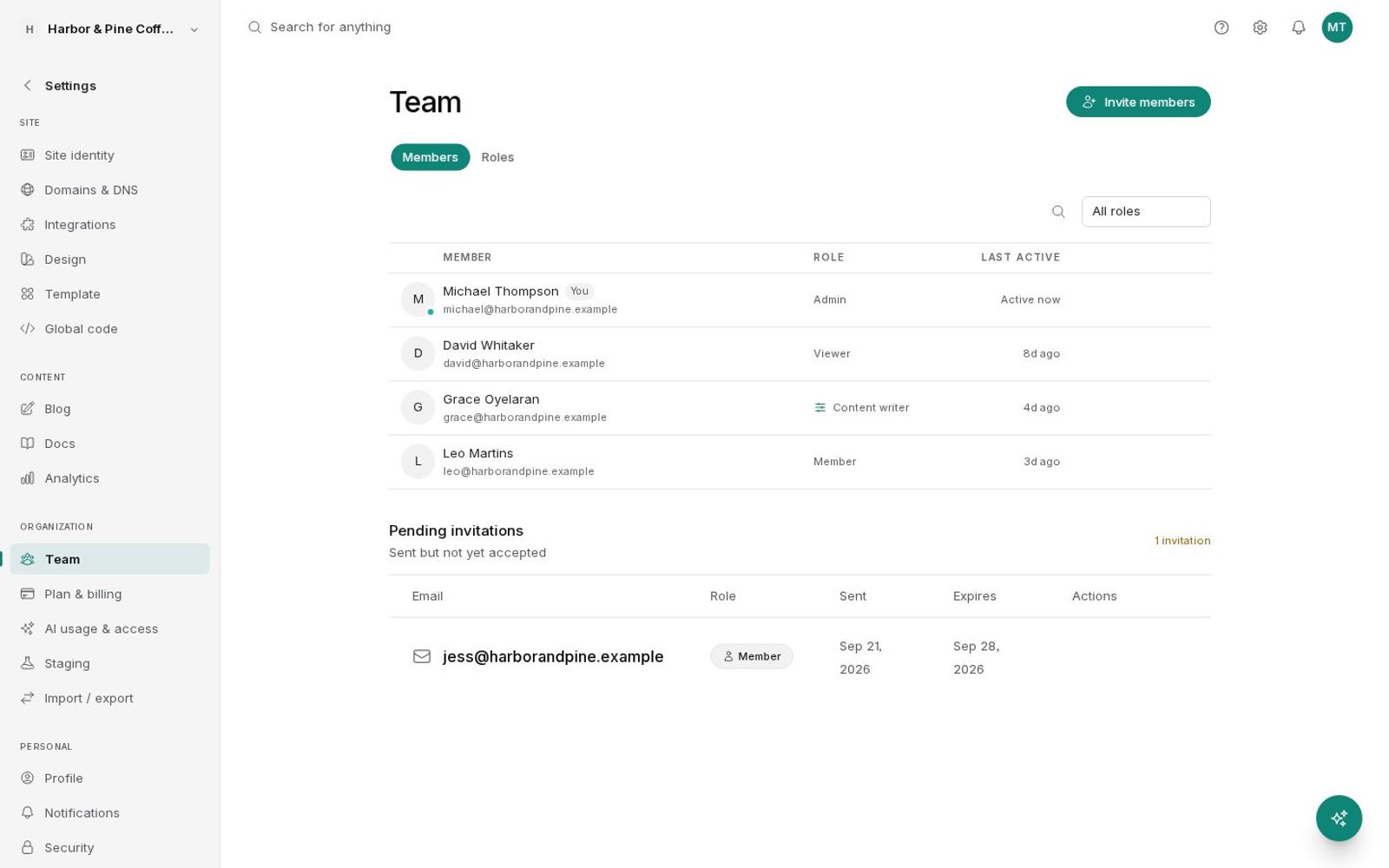
Invite the client from Team and choose a role. Team members are unlimited on every plan.

Ask the agent to invite them. Lumi asks for your approval before any invitation goes out.

Team members with roles and a pending invitation
Prompt

Invite anna@brightwaterdental.com to the Brightwater Dental site with the Client role.

Invite team memberapproved
Invited Anna to Brightwater Dental as Client. She can edit pages and posts but can't publish.

Stage a redesign for review

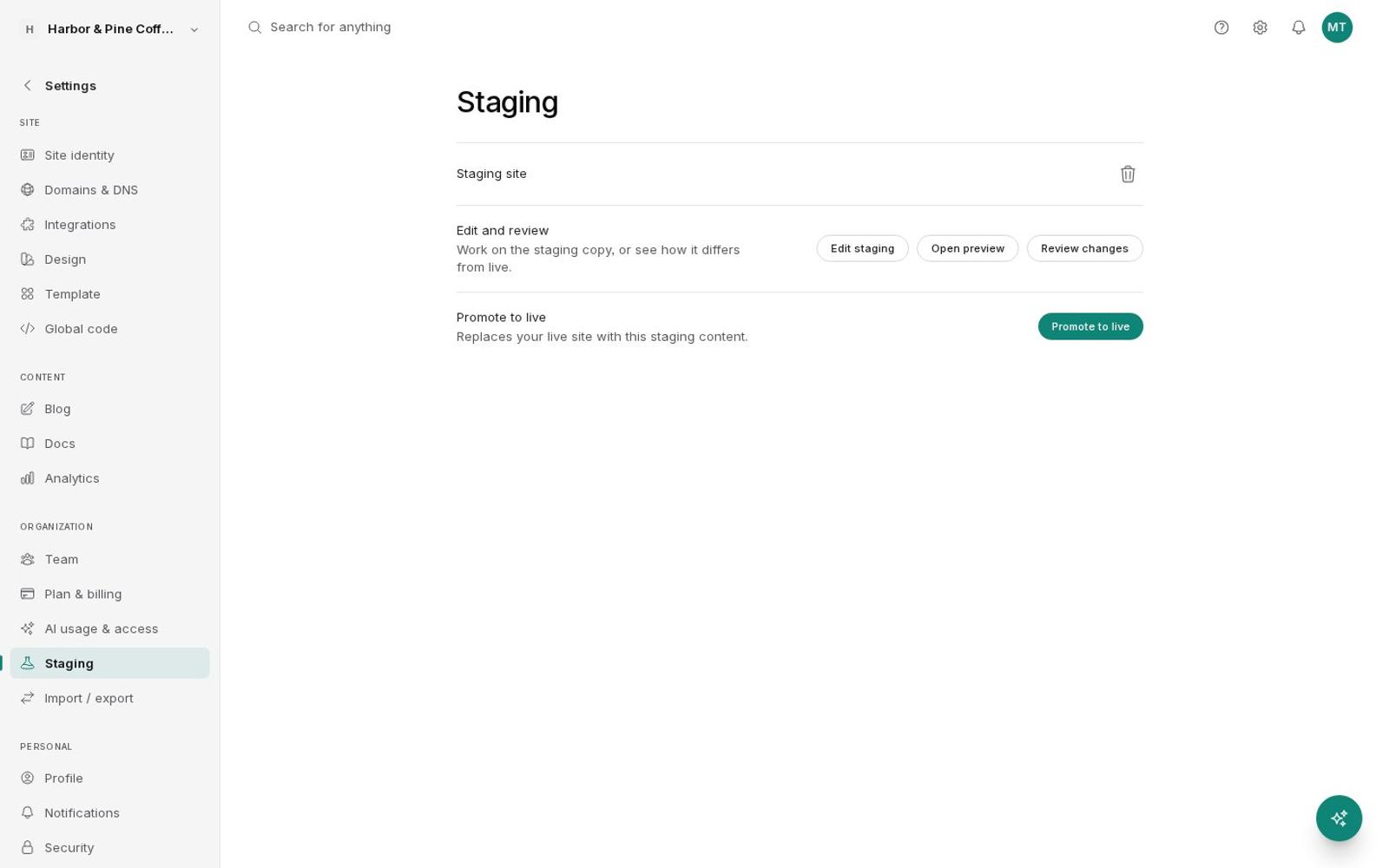
On Scale, make a staging copy, rework it, and walk your client through the preview. Promote it once they sign off.

Ask the agent to do the rework on staging and summarize what changed for the client.

Staging with preview and promote
Prompt

On Copper Kettle's staging site, add the winter menu and write me a short summary of the changes for the client.

Update pagesite: staging
Staging diff
Winter menu is on staging, replacing the fall one, and the homepage feature links to it. Here's a two-line summary you can send the client.
Built for client work

What agencies actually use.

  1. 01 / 08

    Many sites, one login

    Each client gets their own site and organization, and you switch between them in a click.

  2. 02 / 08

    Unlimited team members

    Invite your team and your clients on every plan, with no per-seat fees.

  3. 03 / 08

    Custom roles

    On Grow and Scale, decide exactly who can edit, publish, see billing, or change domains.

  4. 04 / 08

    50+ templates

    Start each client from a complete site built for their kind of business.

  5. 05 / 08

    One agent key for everything

    Connect Claude, ChatGPT, or Codex once and work on any site you can access.

  6. 06 / 08

    Replay and heatmaps

    On Grow and Scale, show clients what visitors actually do, not just how many came.

  7. 07 / 08

    SEO tracking per client

    Rank tracking, local rankings, and AI visibility come with every client site, on every plan.

  8. 08 / 08

    Nothing to maintain

    No plugins, no updates, and no security patches to apply across a dozen sites.

Partner program

Built for people who ship client work.

A partner program for agencies and consultancies building client websites on BrightSite: 20% off every site at 5 or more client sites, 30% off at 15 or more, direct support, and early features.

Or email partners@onbrightsite.com

  • Volume pricing20% off every site at 5 or more client sites. 30% off at 15 or more.
  • Dedicated partner supportA direct line to the team that builds BrightSite.
  • Early accessTry new features before they ship to everyone.
  • Co-marketingOpportunities to be featured by BrightSite.
  • MCP and API accessAutomate client work across every site with one agent connection.

How it works

01

Tell us about your agency

Send a note with the kinds of sites you build and how many clients you manage.

02

Get set up

We'll set up partner pricing and help you move your first client over.

03

Build and grow

Launch client sites from templates and run them all from one login.

The math for one client site

LineWordPressBrightSite
What the client pays you$75 to $150 a month for hosting and maintenanceThe same or more. It now includes analytics, with replay on Grow and Scale.
Your hard cost per site$20 to $40 for a host, plus forms, replay, SEO, and backup plugins$29 at list. $23.20 at 5 sites, $20.30 at 15.
Your labor per site each month1 to 3 hours of updates, breakage, and form checksNear zero. Routine edits go through your agent as drafts.

No lock-in. Export any site as a zip and import it into another account, or hand it to the client by making them an admin.

Questions

About client sites.

Can I manage many client sites from one login?

Yes. Each client site is its own organization. Switch between them from the menu, or see them all in one list with each site's visitors and page count.

Can clients edit without publishing?

Yes. On Grow and Scale, make a custom role where editing and publishing are separate permissions, then invite the client with it. On any plan, the Viewer role gives read-only access.

How does billing work for client sites?

Each client site is its own subscription, so you can pay for it yourself or have your client pay for it directly.

Can I hand a site over to a client?

Yes. Make the client an admin of their site, or export the whole site as a zip and import it into another account.

Do you offer partner pricing?

Yes. 20% off every site at 5 or more client sites and 30% off at 15 or more, billed to the agency. Email partners@onbrightsite.com with the kinds of sites you build and how many clients you manage.

Is SEO tracking included for client sites?

Yes. Every client site includes the rank tracker, local rankings, and AI visibility, with limits set by its plan. Check any client's rankings from the same login, or ask an agent to summarize them.

Spend your time
on the work that pays.

7 days free. No credit card.Start free trial →