Visual editor

Click it.Change it.

Pick any part of the real page and edit it in the panel beside it. The page updates as you type, and nothing goes live until you publish.

  1. 01

    Click what you want to change.

    Select a block on the page or in the element tree. Its fields open beside it.

  2. 02

    Type. The page follows.

    Every letter shows up on the canvas as you write, with a Rewrite button on each field.

  3. 03

    Check it on a phone.

    Switch to mobile and see the same page at phone width before anyone else does.

  4. 04

    Publish when it's right.

    Changes wait as a draft. Publishing saves a version you can go back to.

Restyle

One sentence. A whole new look.

Describe a style and BrightSite changes the colors, fonts, spacing, and shapes on every page at once. It arrives as a draft, so you preview before you publish.

harborandpine.com
Harbor & PineMenuVisitOrder
Roasted in Portland, Maine

Small-batch coffee, roasted by the harbor.

Single-origin beans roasted every Tuesday and Friday.

Visit the cafeOur menu
Roasted this weekStamped with its roast date.Direct from the farmSix growers we visit.Baked in-houseOut of the oven at 6 a.m.
Harbor & PineMenuVisitOrder
Roasted in Portland, Maine

Small-batch coffee, roasted by the harbor.

Single-origin beans roasted every Tuesday and Friday.

Visit the cafeOur menu
Roasted this weekStamped with its roast date.Direct from the farmSix growers we visit.Baked in-houseOut of the oven at 6 a.m.
Harbor & PineMenuVisitOrder
Roasted in Portland, Maine

Small-batch coffee, roasted by the harbor.

Single-origin beans roasted every Tuesday and Friday.

Visit the cafeOur menu
Roasted this weekStamped with its roast date.Direct from the farmSix growers we visit.Baked in-houseOut of the oven at 6 a.m.
Harbor & PineMenuVisitOrder
Roasted in Portland, Maine

Small-batch coffee, roasted by the harbor.

Single-origin beans roasted every Tuesday and Friday.

Visit the cafeOur menu
Roasted this weekStamped with its roast date.Direct from the farmSix growers we visit.Baked in-houseOut of the oven at 6 a.m.
Describe the style Apply
By hand or by asking

Same editor, two ways in.

Do it yourself in the editor, or ask Lumi, Claude, or ChatGPT to do it for you. Either way it lands as a draft.

Rewrite a headline

Click the hero, change the headline in its panel, or press Rewrite and pick Shorter, Friendlier, or More professional.

Tell Lumi what feels off. It suggests options, applies the one you pick, and stages it for you to preview.
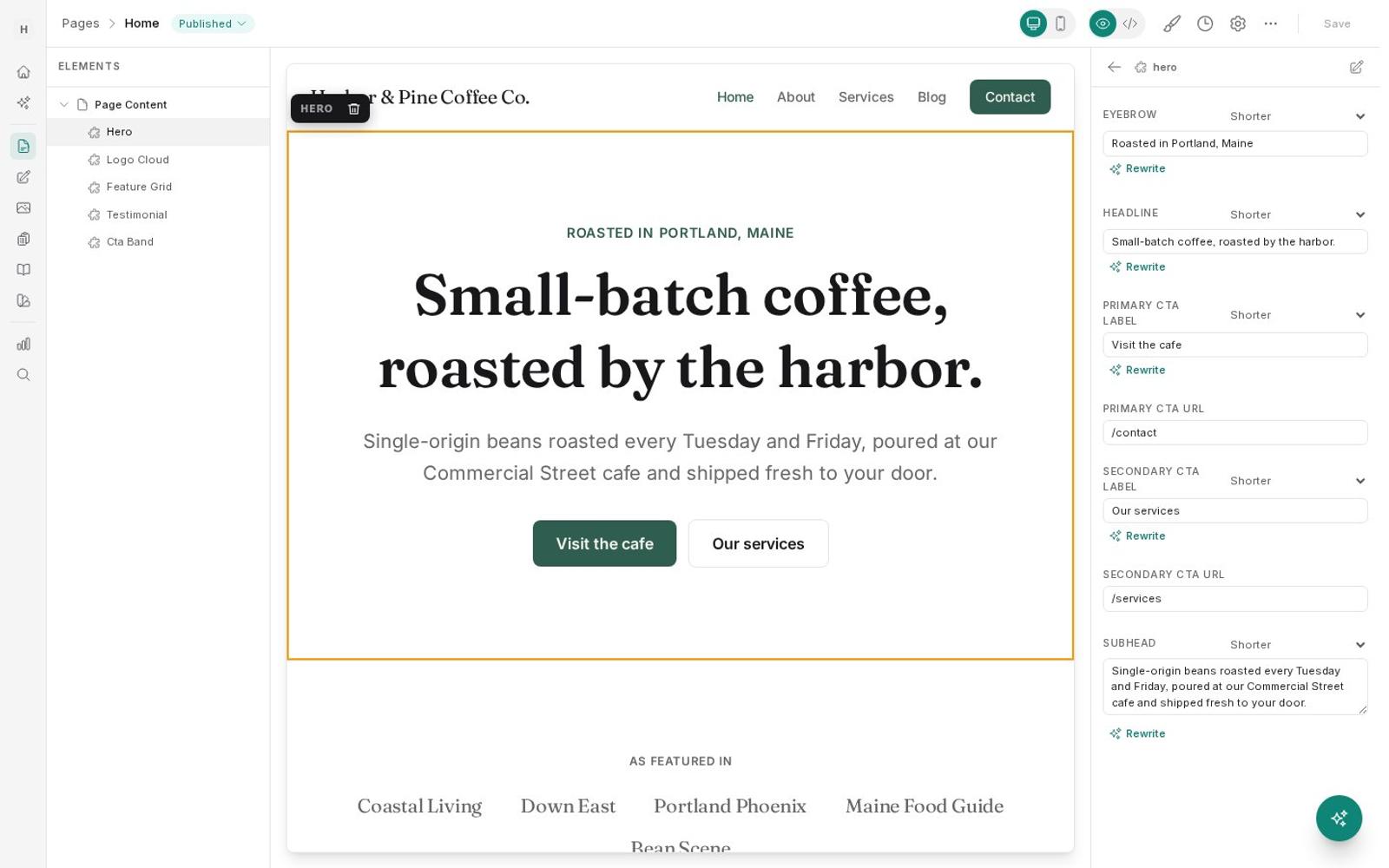
Editor with the hero selected and its fields open
Prompt

Tighten up the hero on the homepage. The subhead feels a bit long.

Get_details pageHome
Update pagedraft
Done. The hero now reads "Small-batch coffee, roasted by the harbor." with a one-line subhead. It's staged, not live yet.
Add a section

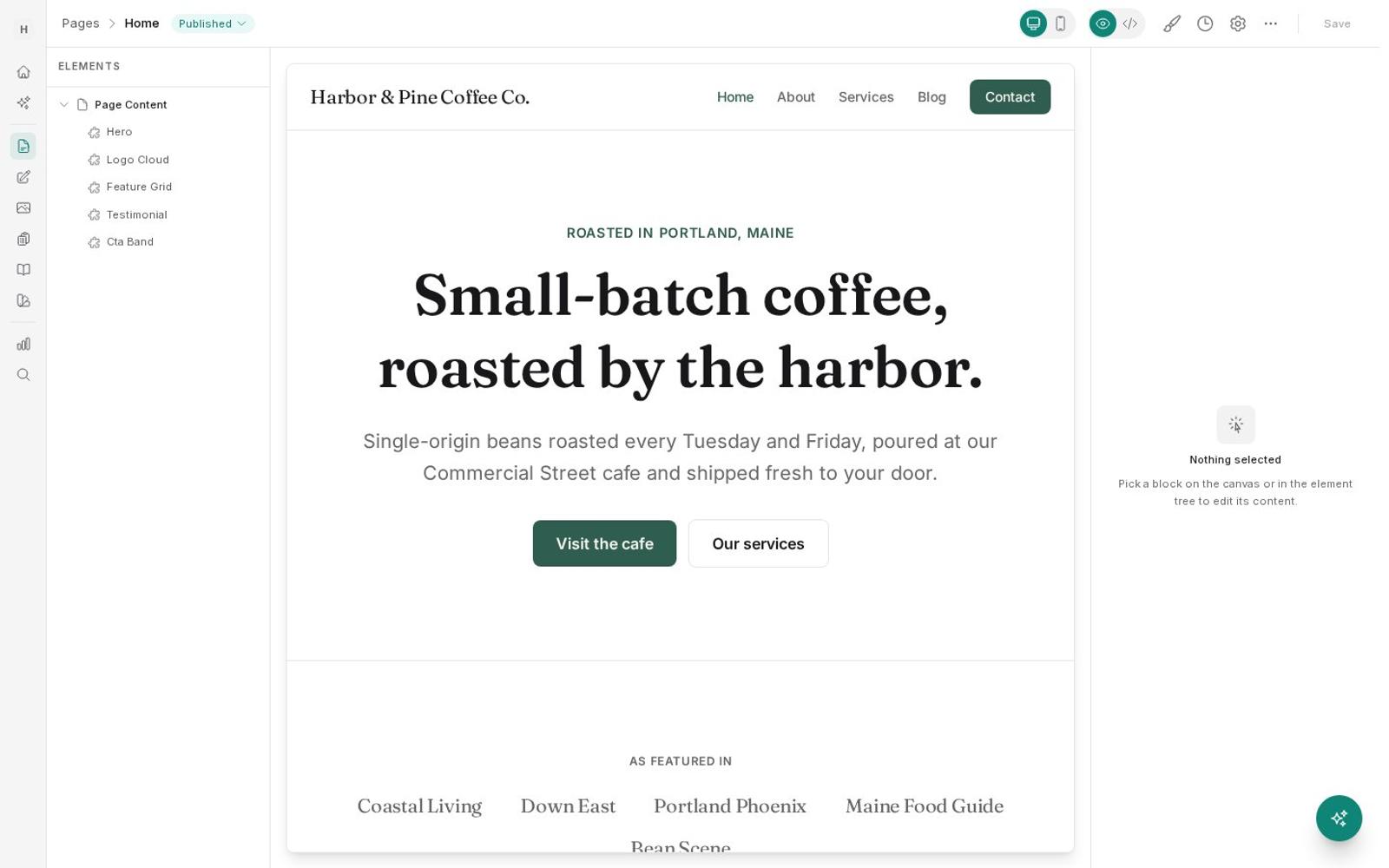
Add a component to the page from the element tree, then fill in its fields. Reorder or delete blocks the same way.

Describe the section and where it goes. The agent writes the copy, places it, and leaves it as a draft.

Editor showing the element tree and the page canvas
Prompt

Add a testimonials section under the menu with three short quotes from regulars.

Get pageHome
Update pagedraft
Added a testimonials section with three quotes under the menu. It's a draft until you publish.

Undo a change

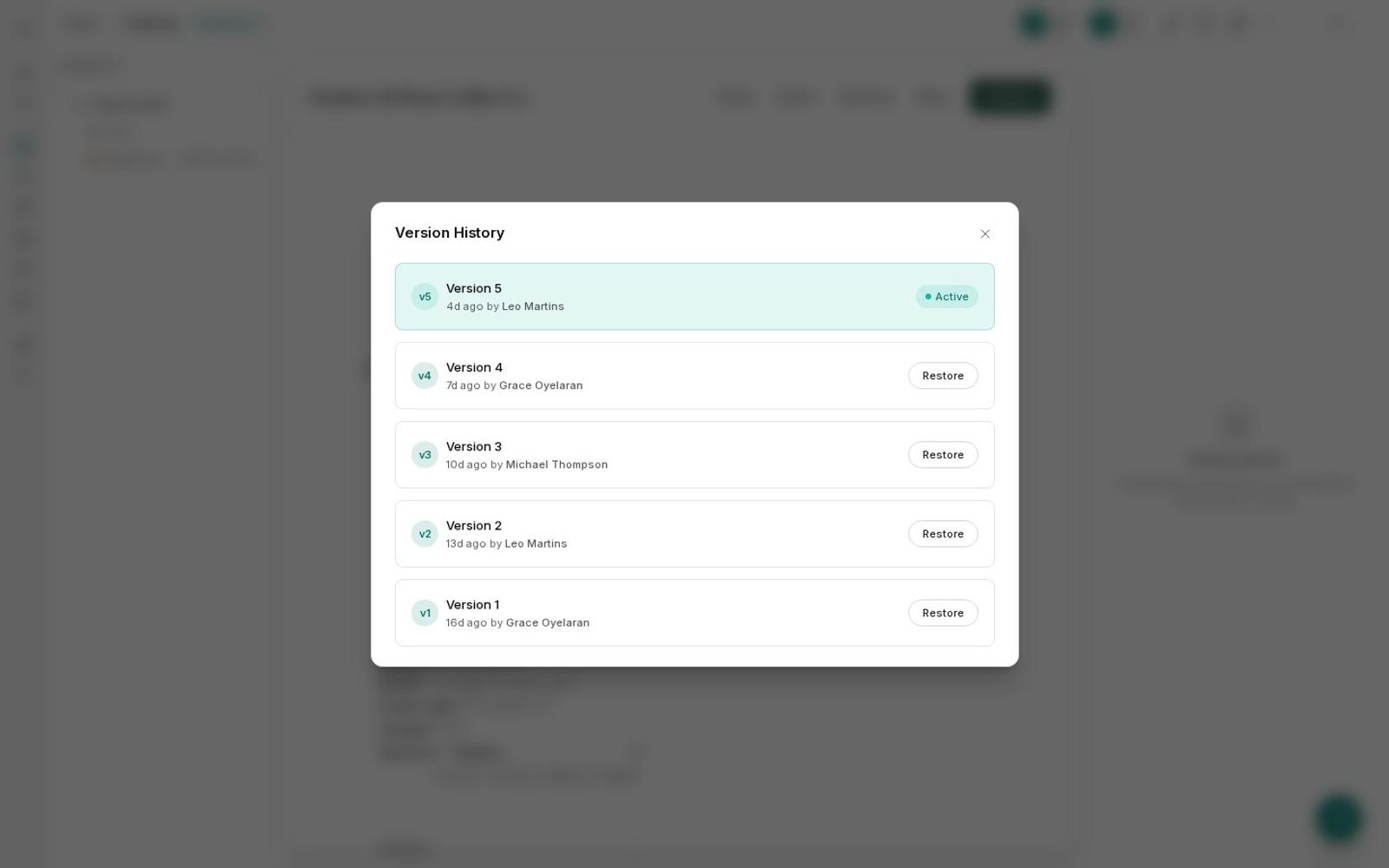
Open Version History, pick an earlier version, and restore it. Every publish is kept as a version, so you can switch back again.

Ask for the page back the way it was. Restores ask for your approval first.

Version History with earlier versions and Restore buttons
Prompt

Put the Catering page back the way it was yesterday morning.

List versionsCatering
Restore versionapproved
Restored Catering to yesterday's version after you approved it. Every other version is still in the history.
Also in the editor

The small things you use every day.

Subhead

Single-origin beans roasted every Tuesday and Friday, poured at our Commercial Street cafe.

Fresh beans, roasted twice a week.

We roast every Tuesday and Friday, and we'd love to pour you a cup.

Single-origin coffee, roasted twice weekly on Commercial Street.

ShorterFriendlierMore professional

Rewrite any field

Shorter, friendlier, more professional, or fixed grammar, one click from the field.

  • Fall MenuPage
  • Our fall lineup is herePost
  • fall-latte.jpgMedia

Find anything with ⌘K

Search pages, posts, forms, components, and media from anywhere in the app.

Alt textLatte with rosetta art on a wooden counter by the window

Alt text written for you

The media library writes descriptions for your images, and resizes them for every screen.

VisualCode
<section class="hero">
  <h1>{@headline}</h1>
  <p>{@subhead}</p>
</section>

Code view when you want it

Switch any page to code, or add your own CSS, JavaScript, and head tags site-wide.

Testimonial"Best cortado in Portland."Maya R., regular since 2019
Testimonial"They know my order."Sam T., Tuesday regular

Components you reuse

Build a block once with its own fields, then drop it on any page. Update it in one place.

  • Version 6Just now by MichaelActive
  • Version 52 hours ago by LumiRestore
  • Version 4Yesterday by AnnaRestore
  • Version 3Monday by MichaelRestore

Versions on everything

Pages, posts, components, layouts, forms, and designs all keep their history.

Questions

About the editor.

Do I need to know code?

No. You edit text, images, links, and buttons in plain fields next to the page. Code view is there if you want it, not because you need it.

When do my changes go live?

Only when you publish. Until then your edits are a draft that only your team can see.

Can I undo a change?

Yes. Every publish saves a version, and you can restore any earlier one from Version History. The other versions stay in the history, so you can switch back.

Can I change the whole design later?

Yes. Describe a new style in one sentence, or set colors and fonts yourself. The change arrives as a draft across every page so you can preview it first.

Your next edit is
one click away.

7 days free. No credit card.Start free trial →