Forms

Every form.One inbox.

Contact, quote, and booking forms that land in one inbox, with spam screened out before it reaches you. Reply from your own email, or send each submission to any other tool.

  1. 01

    Describe the form.

    Write one line about what you need. BrightSite suggests the fields, the button, and the thank-you message.

  2. 02

    Answers land in one inbox.

    Spam is screened out on the way in. Each real message comes with a short summary and a draft reply.

  3. 03

    Send it anywhere else.

    Webhooks post each submission to your CRM or your own server, signed, and retried if the other end is down.

By hand or by asking

Set it up yourself, or ask for it.

Build and manage forms in the app, or ask Lumi, Claude, or ChatGPT to do it. Changes to forms are drafts until you publish.

Add a quote form

Open Forms, describe the form in one line or add fields yourself, choose who gets the email, then place it on any page.

Ask for the form and where it goes. The agent builds it, adds it to the page, and leaves both as drafts.
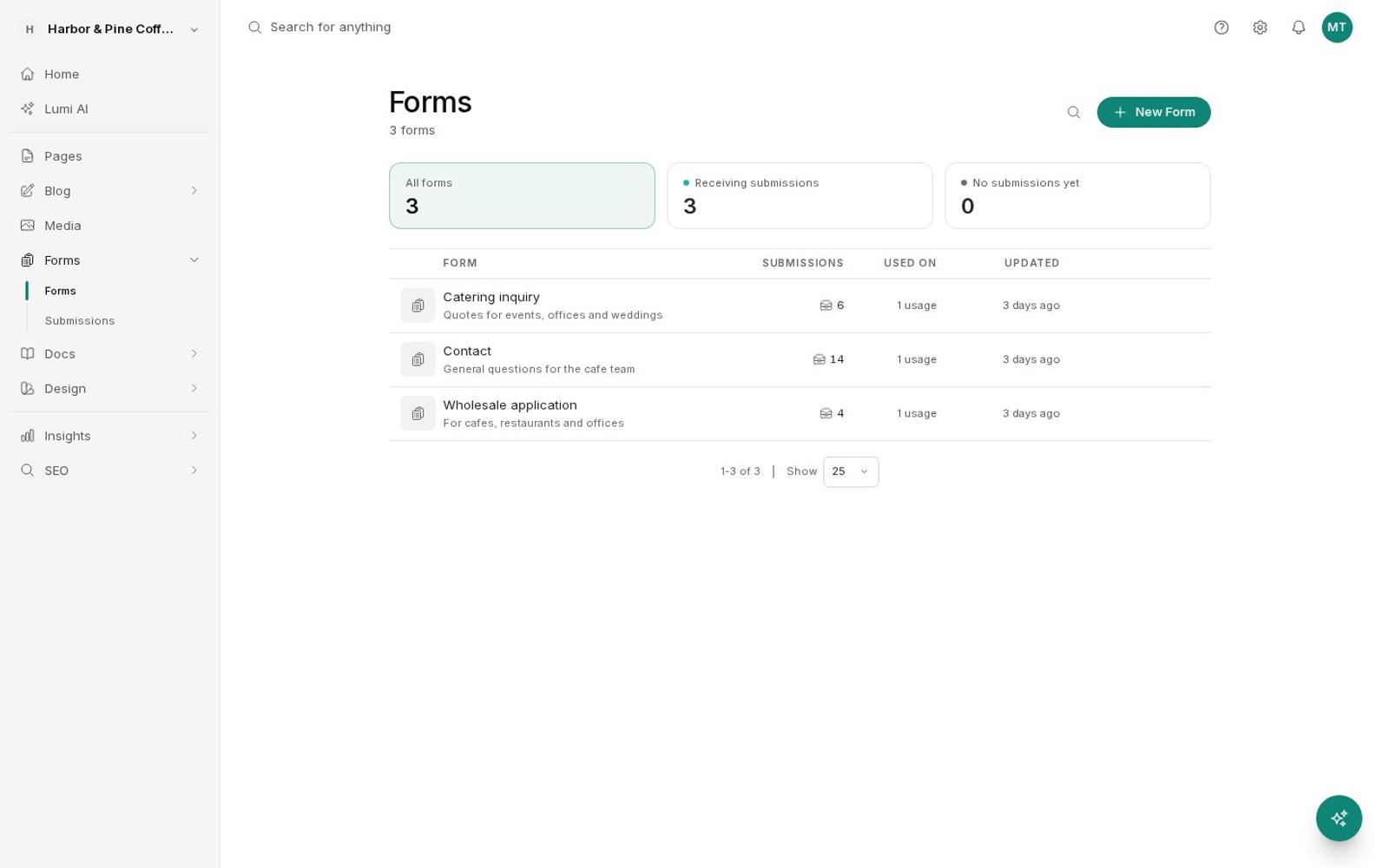
Forms list with contact, catering, and wholesale forms
Prompt

Create a catering quote form with name, email, event date, headcount, and notes, and put it on the Catering page.

Create formCatering quote
Update pageCatering
The Catering page now has a quote form with five fields. Both are drafts until you publish.
Clear out spam

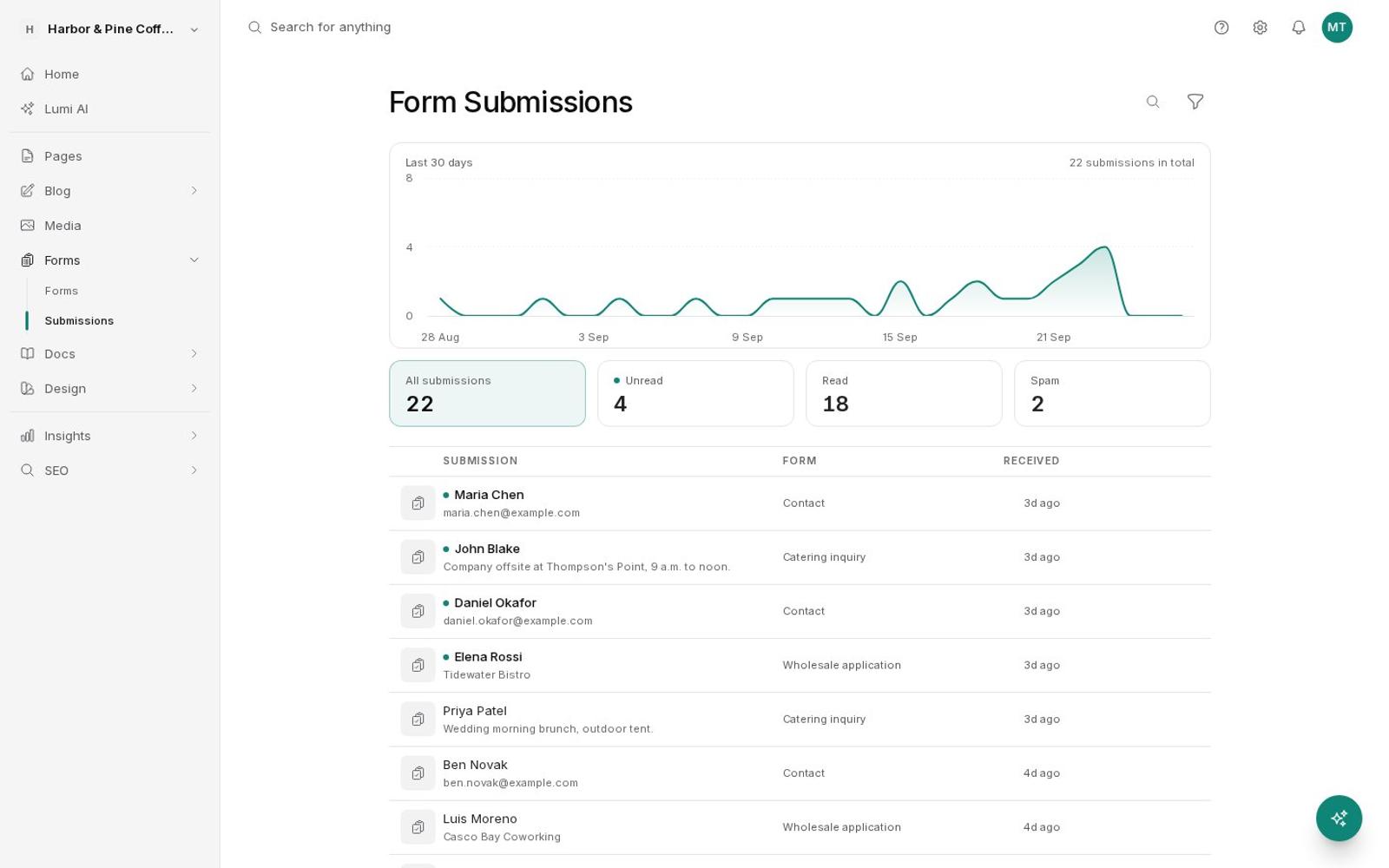
Most spam never reaches the inbox. If something slips through, mark it as spam. If a real message was held, mark it not spam and its email alert goes out.

Ask the agent to review recent messages. It flags the junk and tells you what it found.

Form submissions inbox with unread, read, and spam counts
Prompt

Check this week's contact form messages and mark anything that looks like spam.

List form submissions12 this week
Set submission spam2
Marked 2 as spam, both link-stuffed sales pitches. The other 10 look like real customers.

Send leads to your CRM

Add a webhook to the form: the URL, the method, your own body template if you want one, and a signing secret. Send a test to check it.

Give the agent the URL. It adds the webhook and sends a test submission.

Webhook
Send testSave
Prompt

Send every new catering quote to https://crm.example.com/catering-leads as JSON, then send a test.

Update formwebhook added
Test form webhook200 OK
Done. The test arrived with a 200 response. New quotes will post there as they come in.
Also in Forms

The details that save you time.

01Alerts to anyoneSend each form's email to teammates or any other address you choose.
02Reply from your emailHit reply on the alert and your answer goes straight to the person who wrote in.
03Spam screeningA hidden trap field, a too-fast check, and an AI review of links, pitches, and the sender's email domain.
04File uploadsLet people attach photos or documents, up to 10 files per submission.
05Search and filtersSearch every answer, and filter by form or by unread, read, and spam.
06Summaries and draft repliesEach submission gets a one-line summary and a suggested reply you can edit.
07Signed webhooksYour own body template, basic or bearer auth, an HMAC signature, and retries for about two hours.
08Tag Manager eventsFire a Google Tag Manager event on each submission to track it as a conversion.
Questions

About forms.

Where do submissions go?

Into the Forms inbox in BrightSite, and as an email to the people you choose. Replying to that email goes straight to the person who filled in the form.

How do you stop spam?

A hidden trap field, a check for forms sent faster than a person could type, and an AI review of links, sales pitches, and the sender's email domain. You can mark or unmark spam yourself.

Can I send submissions to other tools?

Yes. Add a webhook to post each submission to any URL as JSON or your own template, signed, with automatic retries for about two hours if the other end is down.

Can people upload files?

Yes, up to 10 files per submission, such as photos or documents.

Can AI build a form for me?

Yes. Describe it in one line and BrightSite suggests the fields, the button text, and the thank-you message. Lumi, Claude, and ChatGPT can create forms too.

Your next customer
is one form away.

7 days free. No credit card.Start free trial →