SEO and AI search

Get found.By search and by AI.

BrightSite handles the technical SEO for you: sitemaps, canonical tags, share previews, structured data, fast images, and instant indexing. Every page also has a clean version for AI assistants to read.

crawler · harborandpine.com
  1. GET /sitemap.xml14 URLs
  2. GET /robots.txtsitemap listed
  3. GET /menu200
  4. link rel="canonical"harborandpine.com/menu
  5. meta og:image1200 × 630
  6. json-ld CafeOrCoffeeShopaddress, hours
  7. img latte.jpgavif, 4 sizes
  8. GET /llms.txt12 pages
  9. GET /menu.md412 tokens
  10. ping IndexNowon publish
  1. 01

    Look right in search.

    Titles, descriptions, and share images for every page, with AI suggestions for the ones you missed.

  2. 02

    Say who you are.

    Your address, hours, and phone become structured data on every page, so search results can show them.

  3. 03

    Readable by AI, too.

    Every page has a markdown version and an llms.txt index, and search engines hear about new pages the moment you publish.

By hand or by asking

The SEO chores, done either way.

Fill things in yourself with AI suggestions, or hand the whole job to Lumi, Claude, or ChatGPT.

Fill in missing descriptions

SEO lists the pages missing a title or description. Press Suggest to draft them, up to 25 at a time, then keep or skip each one.

Ask for titles and descriptions across the site. The agent writes them from each page's content.
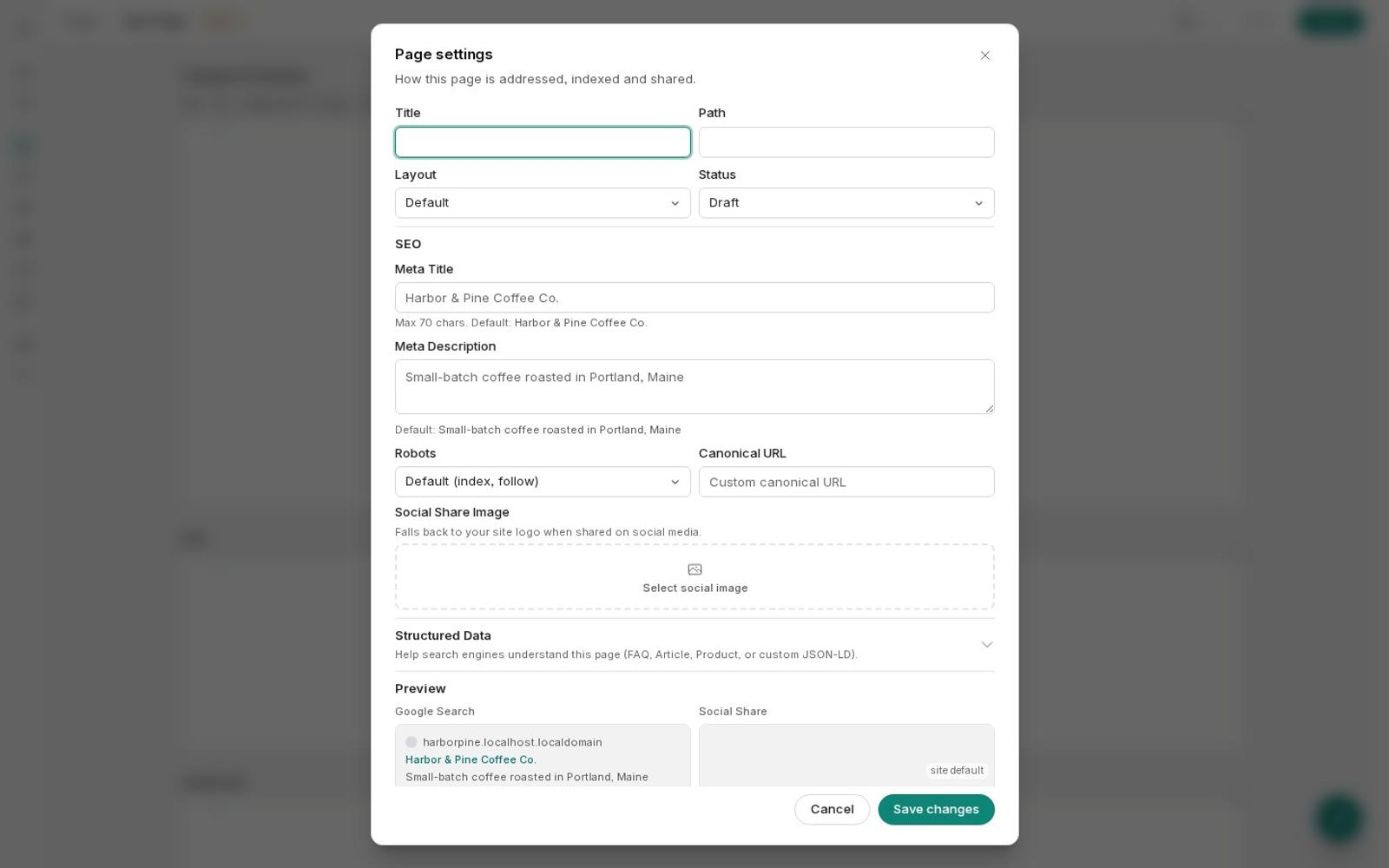
Page settings with SEO fields and a Google preview
Prompt

Write a meta title and description for every page that doesn't have one yet.

List pages6 missing
Update page× 6
Added titles and descriptions to 6 pages, including Catering and Wholesale. Each one is under 160 characters.
Move a page without losing it

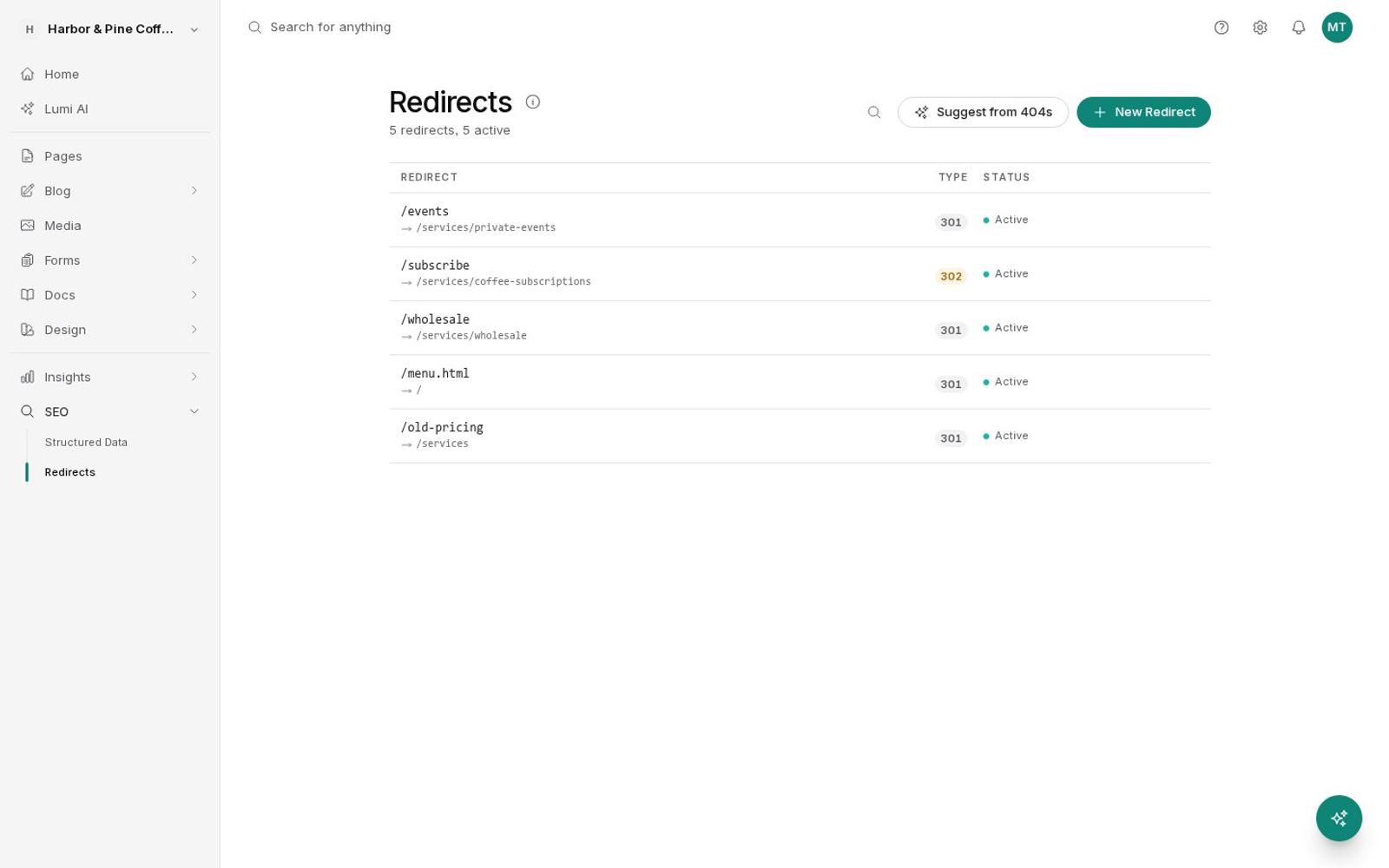
Add a 301 redirect from the old address. Suggest from 404s matches addresses people hit last month to the page they meant.

Tell the agent what moved. It adds the redirect so old links and rankings follow the page.

Redirects with a Suggest from 404s button
Prompt

I renamed the Catering page to Events. Redirect /catering to /events so old links still work.

Create redirect301
Done. /catering now sends visitors and search engines to /events with a permanent redirect.

Add your business details

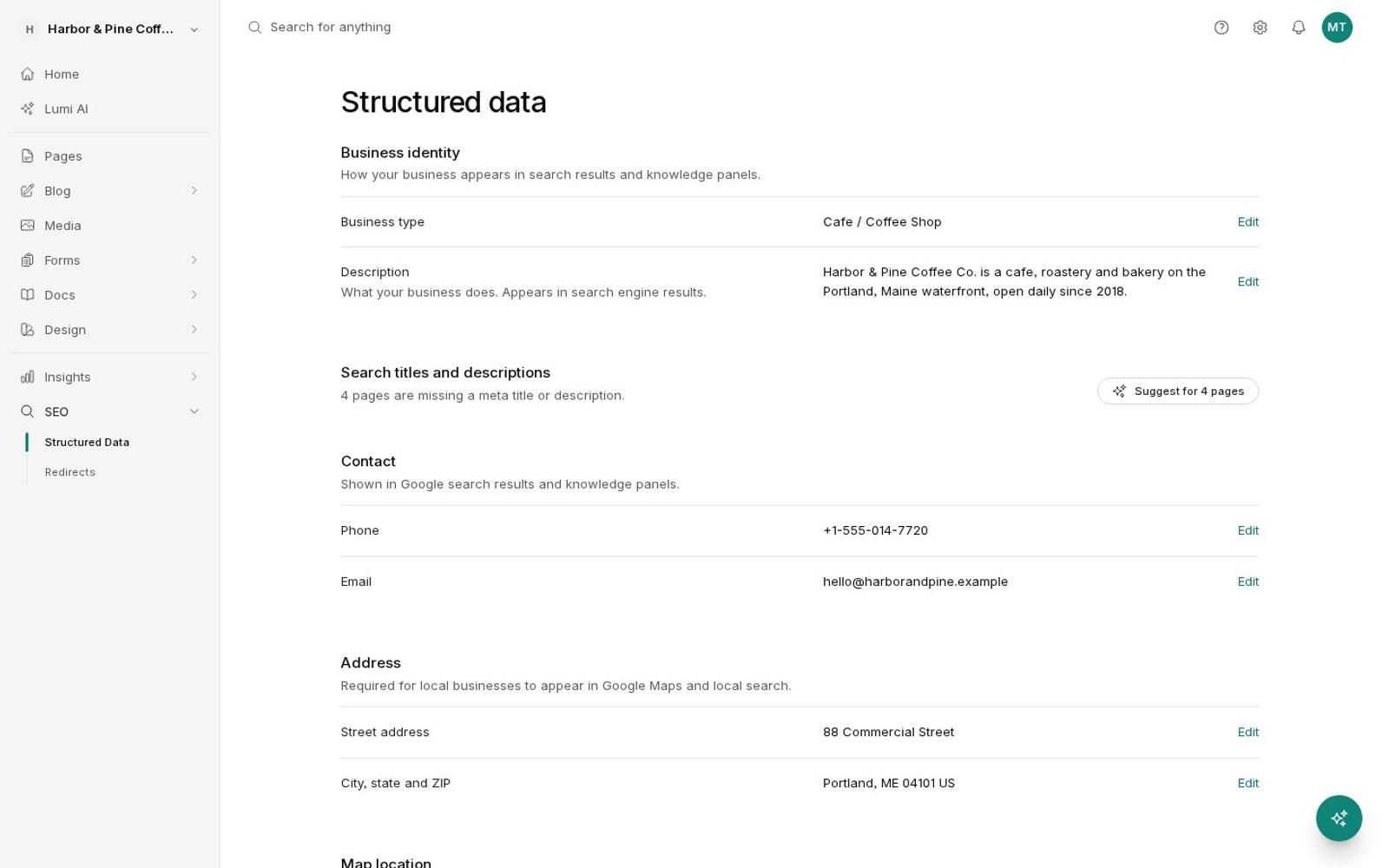
Fill in your business type, address, hours, phone, and social profiles once, or press Suggest to pull them from your pages. They go into every page's structured data.

Give the agent your details in a sentence. It updates the business info that powers your structured data.

Structured data settings with business details
Prompt

We're a coffee shop at 88 Commercial Street in Portland, Maine, open 6:30 to 4 every day. Add that to our business details.

Update site identitybusiness info
Saved. Every page now tells search engines you're a coffee shop on Commercial Street, open daily 6:30 a.m. to 4 p.m.
Built in

No plugins. No setup.

01

Sitemap and RSS

Pages, posts, docs, and products are listed with their last update, and noindex pages are left out.

02

Canonical tags

Every page names its main address, and you can override it when you need to.

03

Share previews

Open Graph and X tags with the page's title, description, and share image.

04

Fast images

Every image is resized for each screen and served as AVIF or WebP when the browser supports it.

05

FAQ and product schema

Add FAQ schema to any page, product schema to store items, or your own JSON-LD.

06

Redirects

301 and 302 redirects, with suggestions for the missing pages visitors hit most.

07

Search verification

Paste your Google and Bing verification codes, with no code editing.

08

Tracking, if you want it

Google Analytics, Tag Manager, and Meta Pixel, which respect each visitor's cookie choice.

Questions

About SEO.

Do I need an SEO plugin?

No. Sitemaps, canonical tags, share previews, structured data, and image sizing are built into every site.

What are llms.txt and markdown pages?

llms.txt is a plain list of your pages for AI assistants. Every page also has a markdown version at the same address plus .md, which is easier for AI tools to read than the full web page. You can turn this off.

How does instant indexing work?

When you publish, update, or remove a page, BrightSite tells search engines that support IndexNow, including Bing, right away. It works once your site is on its own domain.

Will old links still work if I move my site?

Yes, if you add redirects. Add a 301 redirect from each old address to its new page, and BrightSite suggests matches for the missing addresses visitors hit most.

Can I add my own schema?

Yes. Add FAQ schema to any page, product schema to store items, or paste your own JSON-LD.

Make your site
easy to find.

7 days free. No credit card.Start free trial →