Hosting, staging, domains

Hosting younever think about.

SSL, a firewall, DDoS protection, fast image delivery, backups, and your own domain are all included. On Grow and Scale, try big changes on a staging copy and promote them when they're ready.

VisitorsAnywhere
Edge networkSSL · Firewall · DDoS
Your siteharborandpine.com
  • SSL active
  • Firewall on
  • Images on the CDN
  • Backed up continuously
  1. 01

    Copy the live site.

    One click makes a full copy of your site: pages, layouts, components, media, and forms.

  2. 02

    Change it and review.

    Edit the copy as much as you like, preview it privately, and see exactly what changed compared with live.

  3. 03

    Promote it.

    A backup is taken, the copy goes live, and the old version is archived so you can switch back in a click.

Domains and DNS

Your domain, with SSL on day one.

Add as many domains as you like, pick the main one, and the rest redirect to it. BrightSite can host your DNS too, with A, AAAA, CNAME, MX, TXT, and SRV records, so email and other services keep working.

harborandpine.comSSL pending
harborandpine.comPrimary
www.harborandpine.comRedirects to primary
harborpine.coffeeRedirects to primary
TypeNameValue
A@Pointed at BrightSite
CNAMEwwwharborandpine.com
MX@mail.yourprovider.com
TXT@google-site-verification=…
By hand or by asking

The admin work, handled either way.

Do it in Settings, or ask Lumi, Claude, or ChatGPT. Lumi asks for your approval before it changes domains, promotes staging, or invites anyone.

Connect your domain

Open Domains and DNS, add your domain, and follow the setup steps for your registrar. SSL turns on by itself once it connects.

Ask the agent to add the domain. It asks for approval, then tells you exactly what to change at your registrar.
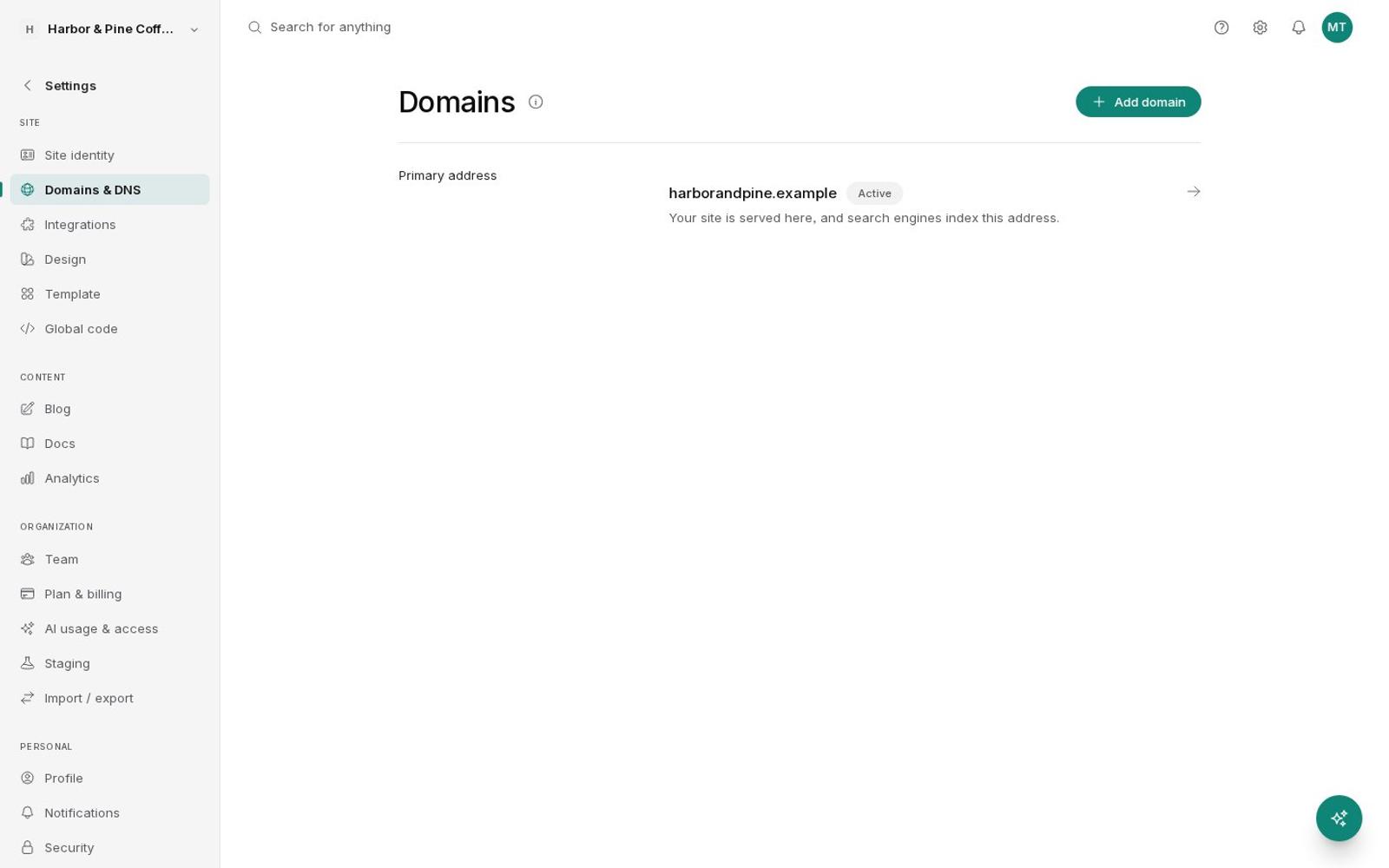
Domains and DNS settings
Prompt

Connect harborandpine.com to the site and make it the main address.

Add custom domainapproved
Get DNS setup instructions
Added. At your registrar, point the nameservers to the two shown in Domains and DNS. SSL turns on once they update.
Try a redesign safely

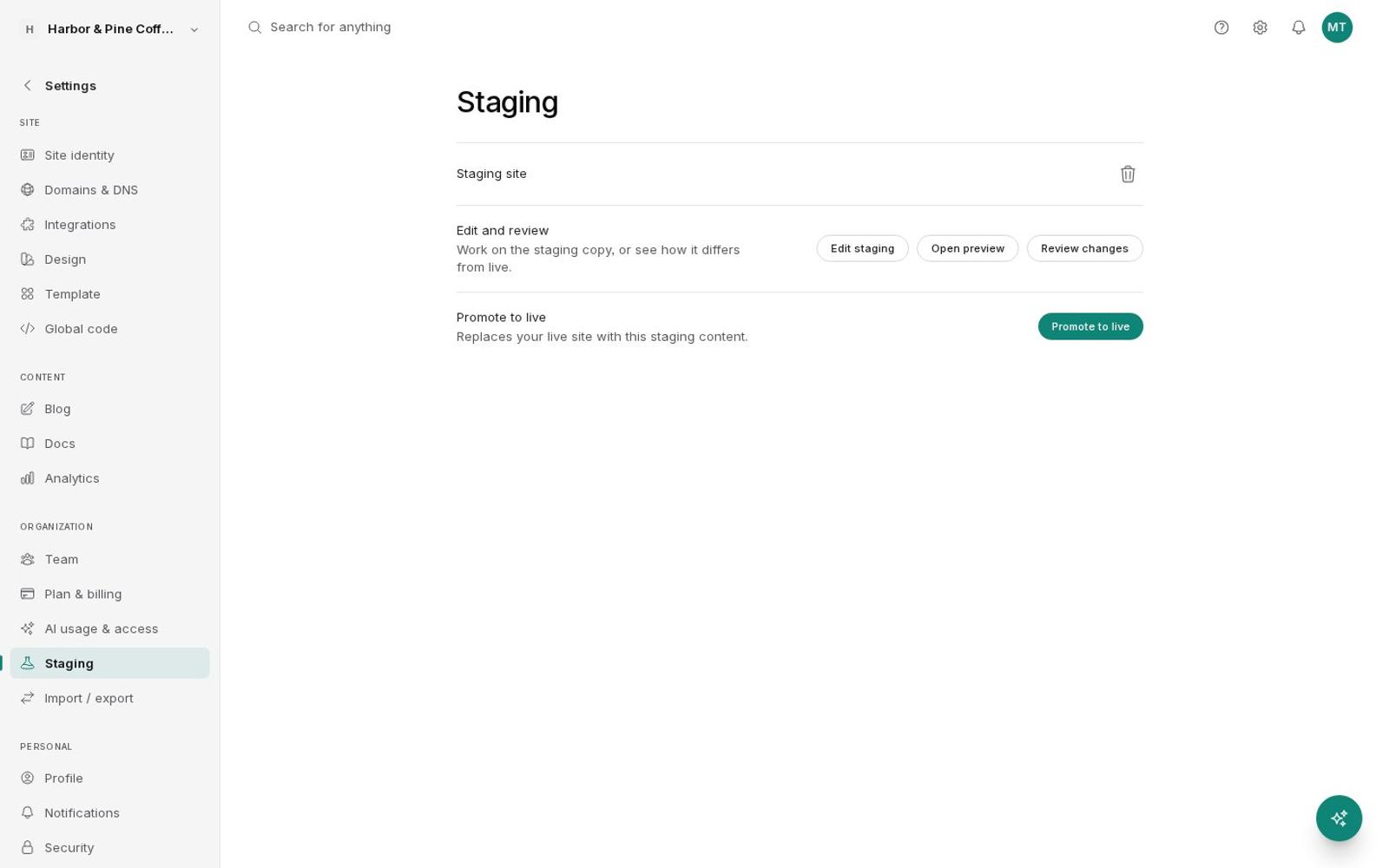
Create a staging site, edit it like your live site, then Review changes and Promote to live when it's ready.

Ask for the change on staging. The agent works on the copy and shows you the diff before anything goes live.

Staging with Edit staging, Open preview, Review changes, and Promote to live
Prompt

Make a staging copy, restyle it to feel warmer for fall, and show me what changed.

Create staging site
Restyle sitesite: staging
Staging diff
Staging has the warmer look across every page. Open the preview, and when you're happy I'll ask for approval to promote it.

Invite a teammate

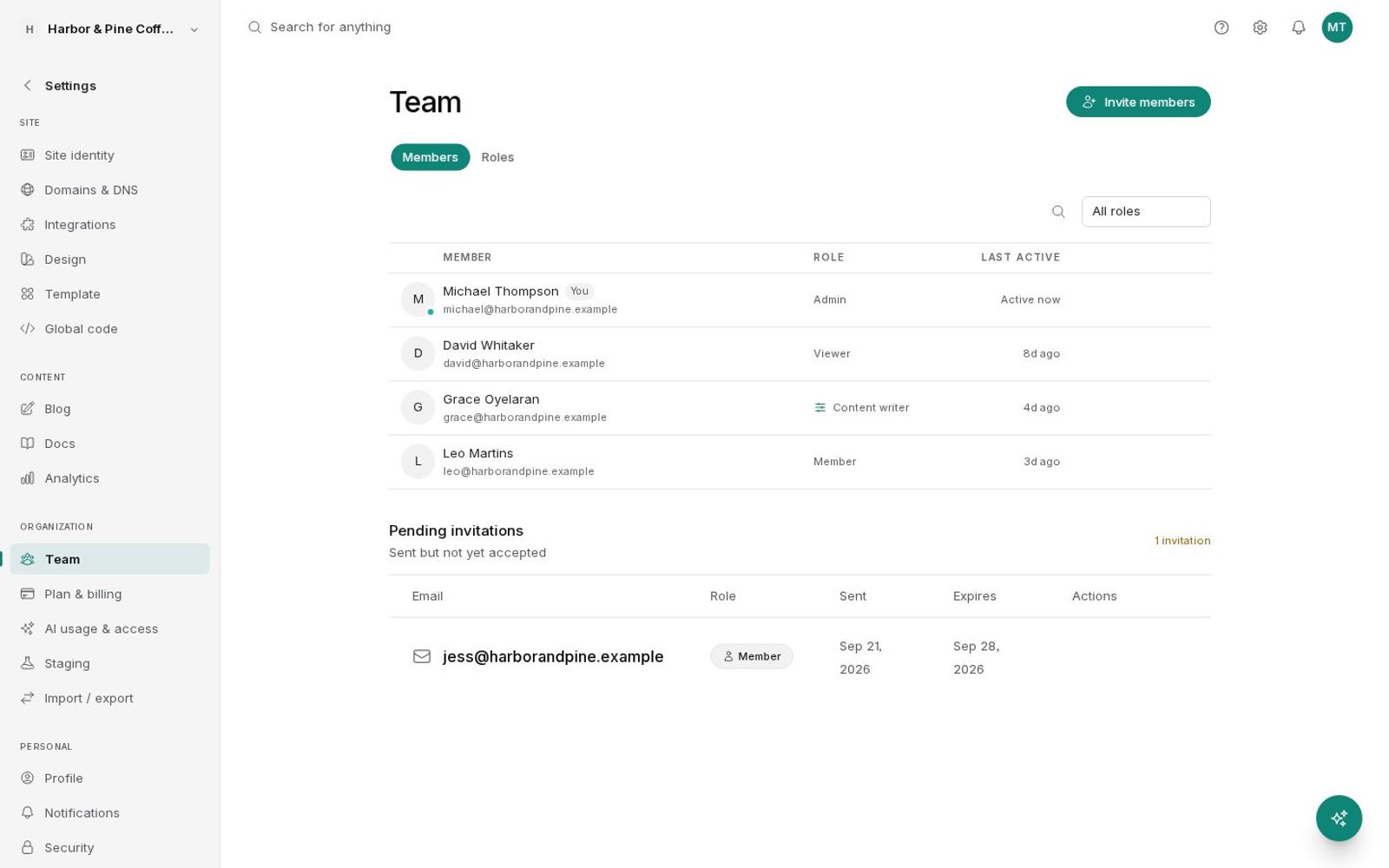
Open Team, invite by email, and choose Admin, Member, or Viewer. Every plan includes unlimited team members.

Ask the agent to invite someone. It asks for your approval before the invitation goes out.

Team members with roles and a pending invitation
Prompt

Invite jo@harborandpine.com to the team as a Member.

Invite team memberapproved
Invitation sent to jo@harborandpine.com as a Member. It shows as pending in Team until Jo accepts.
Included

Everything under the hood, already done.

https://yourbakery.com
  • yourbakery.comSecure
  • www.yourbakery.comSecure
  • yourbakery.shopSecure
Certificate issuedRenewed for you

SSL for every domain

Certificates are issued and renewed for you, on your main domain and every alias.

Firewall and DDoS protection

Every request passes through an edge network that filters attacks before they reach your site.

JPGWebP
390w820w1440w
Cached for 1 year

Image CDN

Images are sized for each screen, converted to modern formats, and cached for a year.

Continuous backups

The database is backed up continuously, with daily and weekly backups on top.

Version history

Pages, posts, components, layouts, forms, docs, and designs each keep their published versions.

Export and import

Download your whole site as a zip, including pages, media, forms, blog, and docs, and import it elsewhere in BrightSite.

Roles and 2FA

Admin, Member, and Viewer roles, custom roles on Scale, and two-factor sign-in with backup codes.

Activity log

See who published, updated, or created what, filtered by person and type.

Questions

About hosting.

Is hosting included?

Yes. Every plan includes hosting, SSL, the firewall and DDoS protection in front of your site, and the image CDN.

Can I use my own domain?

Yes. Add as many domains as you like and pick the main one, and the others redirect to it. You can keep DNS where it is or host it with BrightSite.

What if I break something?

Restore any published version of a page from its history, or switch back to the previous live site after a staging promote.

How are backups handled?

The database is backed up continuously, with daily and weekly backups on top, and they're kept for about two weeks. A backup is also taken before every staging promote.

Which plans include staging?

Grow and Scale include a staging site. Launch includes everything else on this page.

Launch it once.
We'll keep it running.

7 days free. No credit card.Start free trial →