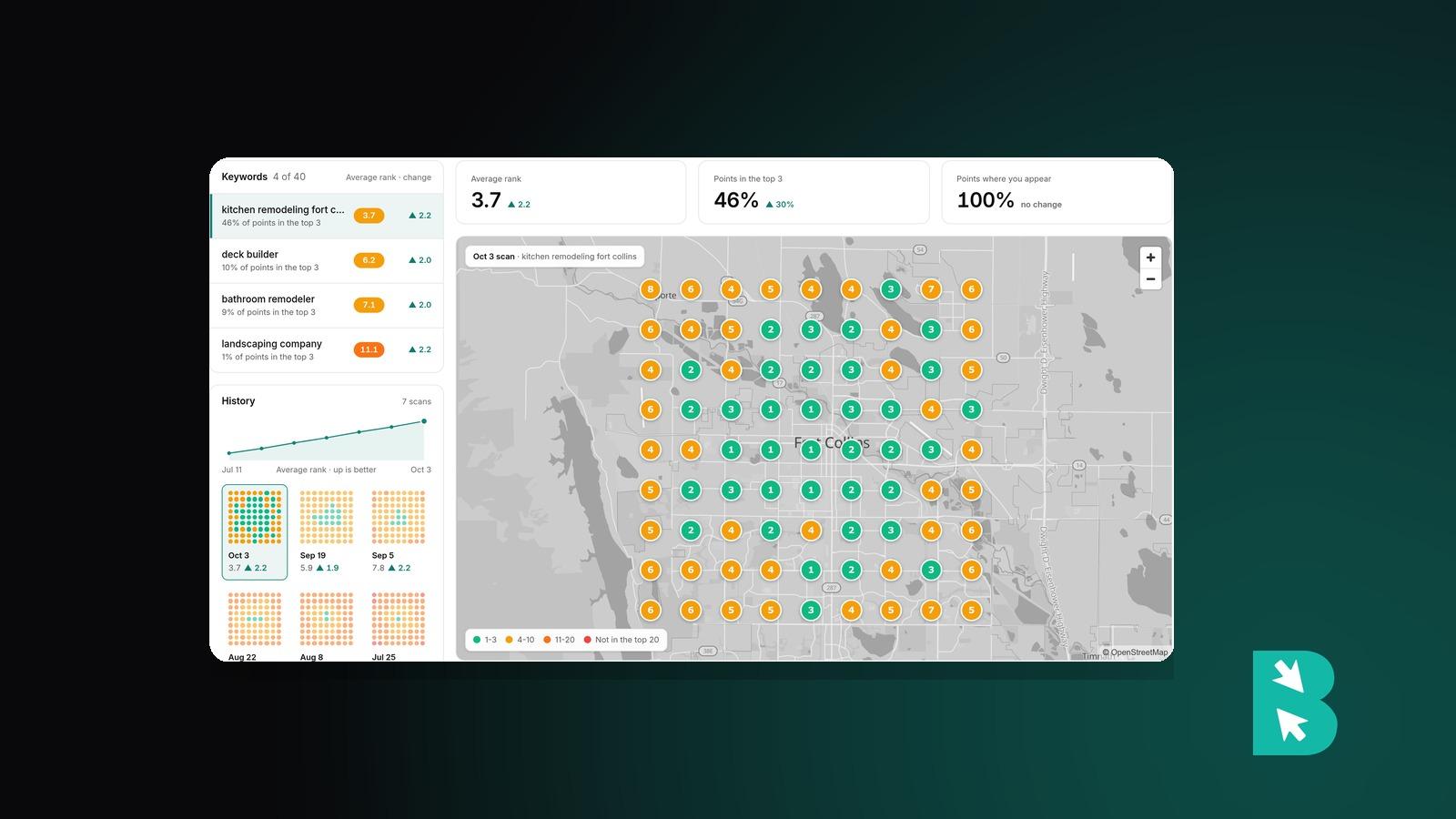
Search "plumber near me" at your shop and you might be the first result in the map pack. Drive ten minutes across town, search again, and you may not be on the first screen at all. Both results are real. Google Maps ranks businesses differently depending on where the person searching is standing.
That's why a single number for "my Google Maps rank" doesn't mean much. What you want to know is where you show up across the area you serve, and where you don't.
Why your Maps rank changes from place to place
Google says local results come down to three things: relevance (how well your profile matches the search), prominence (how well known you are, including reviews and links), and distance (how far you are from the person searching). Relevance and prominence are mostly the same wherever someone searches. Distance changes with every block.
So a business usually ranks well near its address and fades with distance. How fast it fades is the part worth measuring. A strong profile holds the top three across a wide area. A weak one drops out a mile away.
How a grid scan measures it
A grid scan runs the same search from many points laid out over a map, then shows your rank at each point. Instead of one number, you get a picture of your coverage: green where you're in the top three, fading to red and then gray where you don't appear.
Local rankings, now built into BrightSite
Every BrightSite plan now includes local rankings, under SEO → Local rankings. Setting up a campaign:
- Find your business on Google Maps.
- Add the searches you care about, like "emergency plumber" or "coffee catering".
- Pick the area. Start from Neighborhood (7×7 points, half a mile apart), City (7×7, 1 mile apart), or Region (9×9, 3 miles apart), or set the grid size and spacing yourself, up to 10 miles between points. Choose a square or a circle, drag the center, and switch off points you don't care about. Points that land on water are skipped.
- Pick a schedule: weekly, every other week, or monthly.
The first scan starts as soon as you create the campaign.
Reading the map
Each point shows your rank: 1 to 3 in green, 4 to 10 in amber, 11 to 20 in red, and gray where you don't appear. Three numbers sum it up:
- Average rank, counting points where you don't appear as 21.
- Points in the top 3, which is where most map-pack clicks go.
- Points where you appear at all (rank 1 to 20).
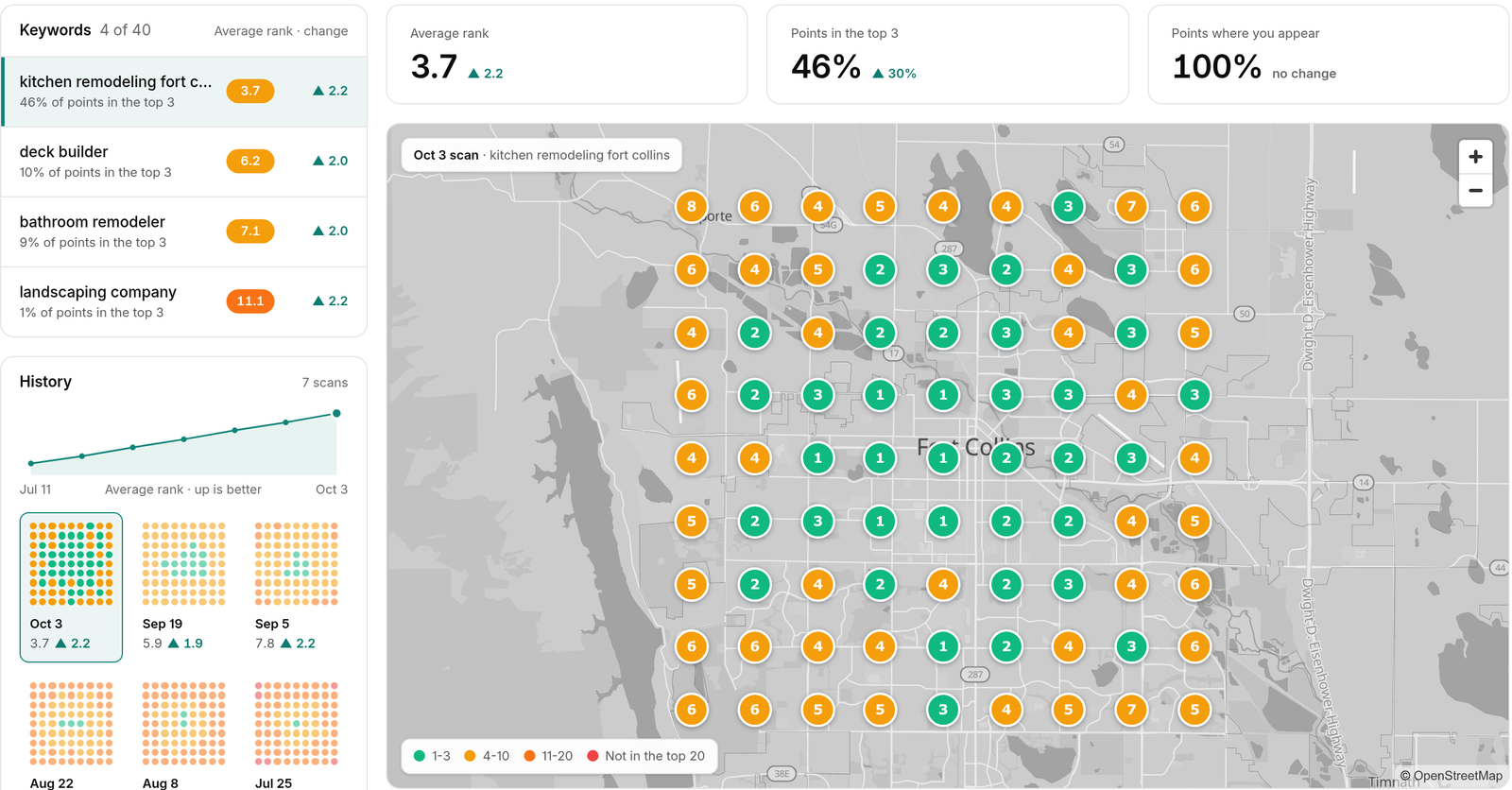
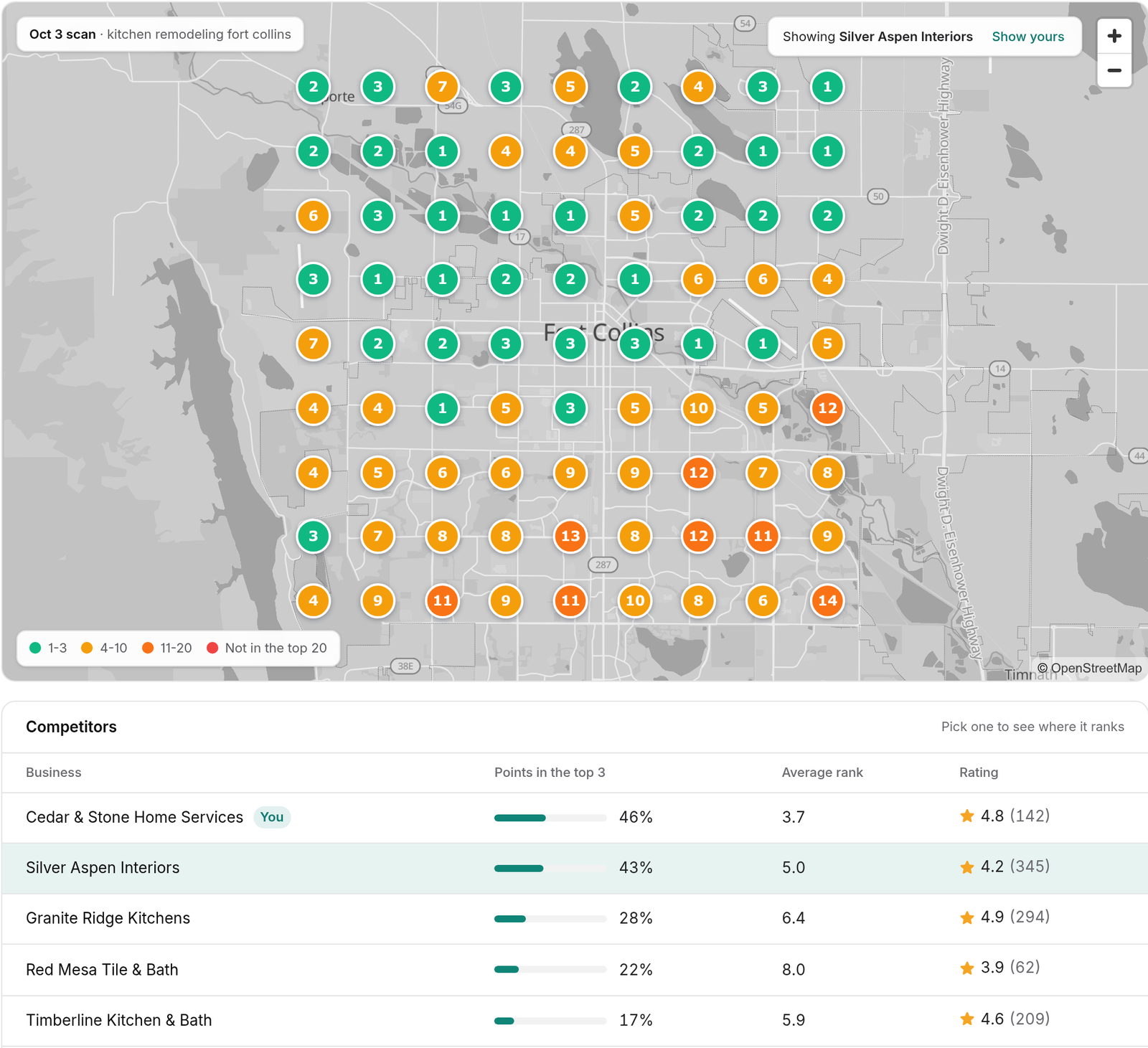
History shows the trend and lets you open past scans. Competitors lists up to 20 businesses that show up in your area, with their top-3 count, average rank, and rating. Pick one and the map redraws with their ranks, at no extra cost, so you can see exactly where they beat you.
If the same search is tracked in the rank tracker, its keyword page shows your Maps rank next to your regular Google rank.
How to rank higher on Google Maps
The grid tells you where to focus. A few things move Maps rankings for most businesses:
- Get your primary category right. It's the strongest relevance signal on your Google Business Profile. Match it to the searches you want.
- Fill in the whole profile: services, hours, service areas, photos, and a description that uses the words customers search with.
- Earn reviews steadily, and reply to them. Replies that mention the service and the town help relevance too.
- Give each area you serve a real page on your site with your address and phone number written the same way everywhere they appear.
- Compare against the competitor who beats you. Redraw the map with their ranks, then look at their reviews, categories, and website for what they have that you don't.
Then rescan and see whether the green spreads. Scheduled scans cover every keyword. New keywords are scanned right away, and on Grow and Scale, Rescan checks a single keyword on demand.
What it doesn't do
Scans use desktop Google Maps results in English. It measures your rank. It doesn't change your Google Business Profile for you. Individual point results are kept for 13 months, and scan summaries longer.
Limits by plan
| Launch | Grow | Scale | |
|---|---|---|---|
| Campaigns | 1 | 1 | 2 |
| Keywords per campaign | 5 | 10 | 10 |
| Largest grid | 7×7 | 9×9 | 13×13 |
| Rescans a month | 0 | 10 | 20 |
The local search campaign add-on gives you one more campaign, 10 more rescans a month, and grids up to 15×15 for $25 a month or $250 a year. Free trials use Launch limits. See SEO tracking limits and add-ons.
Setup steps and every setting are in the local rankings docs.
Local rankings are included on every BrightSite plan, from $29 a month. Already on BrightSite? Open SEO → Local rankings to start your first scan. Everyone else can see how it works or start a free trial.