Two weeks ago we added email campaigns to BrightSite. Today's release adds automations and sequences, so email can go out on its own when something happens. It also adds A/B tests, segments with more filters, polls, and a preference center to every plan.
Here is what's new and which plans get it.
Automations: when something happens, do something
An automation starts when a contact does something, then runs a set of steps for that contact. Each contact moves through on their own.
An automation can start when:
- someone subscribes, or a tag is added or removed (including when someone picks a topic in your preference center)
- a form is submitted
- an order is paid or fulfilled, for any product or one product
- a product review is left, filtered by rating
- someone clicks a link in an email
- a field changes, or a date field comes around (up to 30 days before or after, for birthdays and renewals)
- you publish a blog post
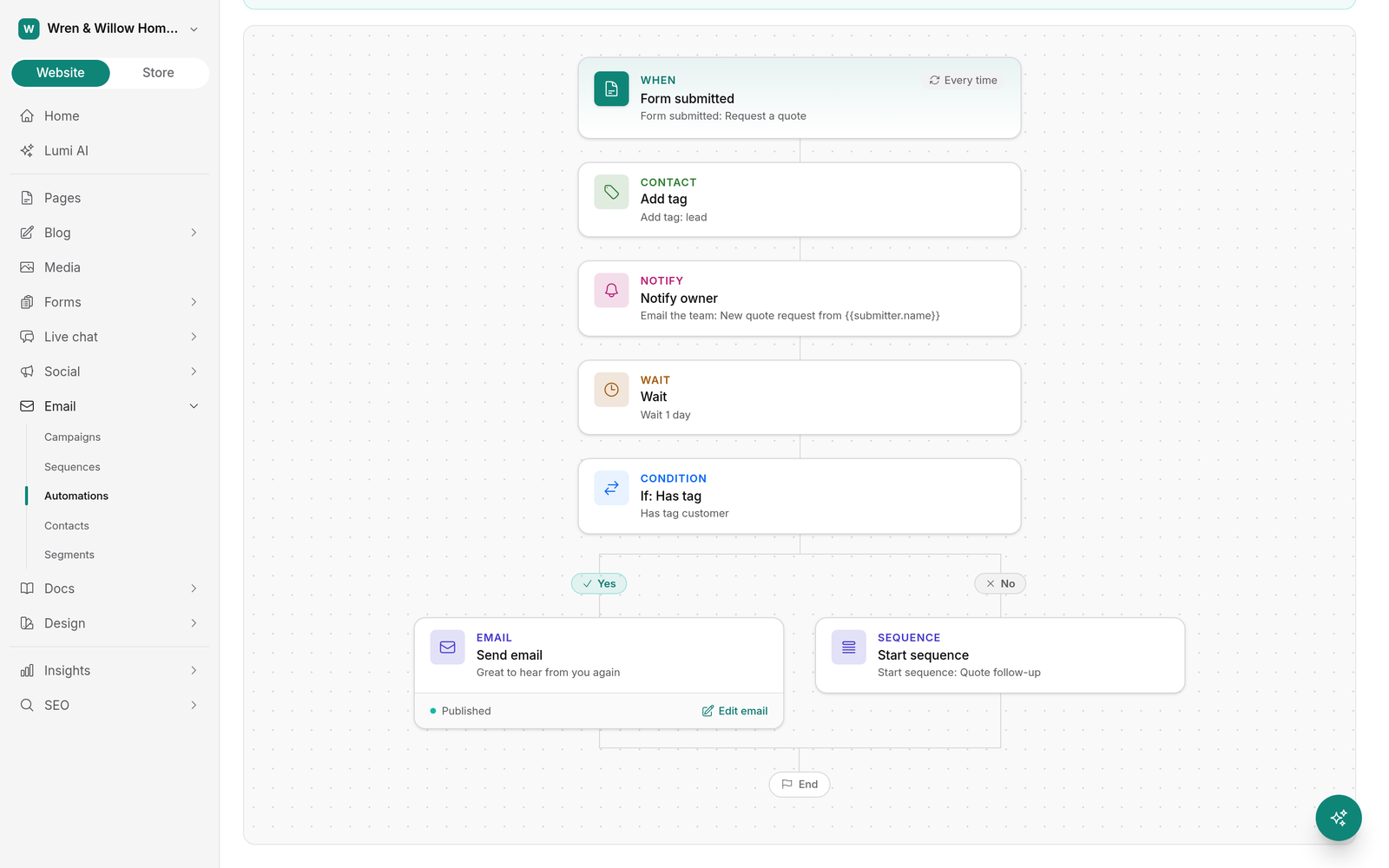
The steps can send an email, start or stop a sequence, add or remove tags, set a field, email you or your team, call a webhook, or wait a set time. Conditions split the path into yes and no branches based on tags, field values, the order total, recent opens or clicks, or a segment.
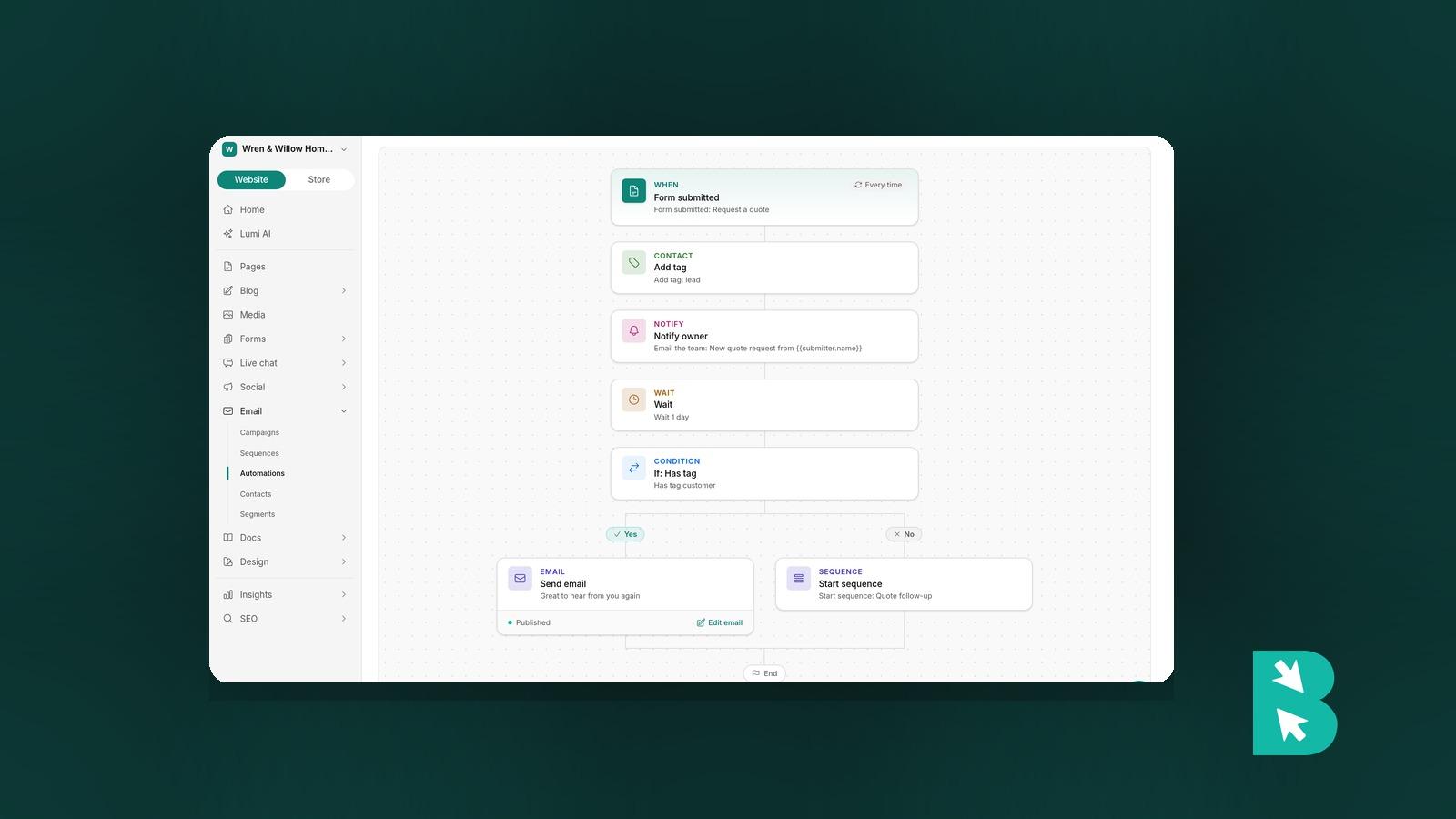
You can also start from a recipe: Welcome new subscribers, Post-purchase follow-up, or Quote form follow-up. A form can start an automation straight from the form editor, so a quote request can tag the person as a lead, email your team, and start a short follow-up series that sends the first email right away.
Each automation keeps a history of every contact's run, so you can see which steps they went through and where they are now.
Sequences: a series of emails on each contact's own clock
A sequence is a set of emails sent in order, each with a delay after the one before it. Someone who joins today gets email 1 today and email 2 two days later. Someone who joins next month starts at email 1 then.
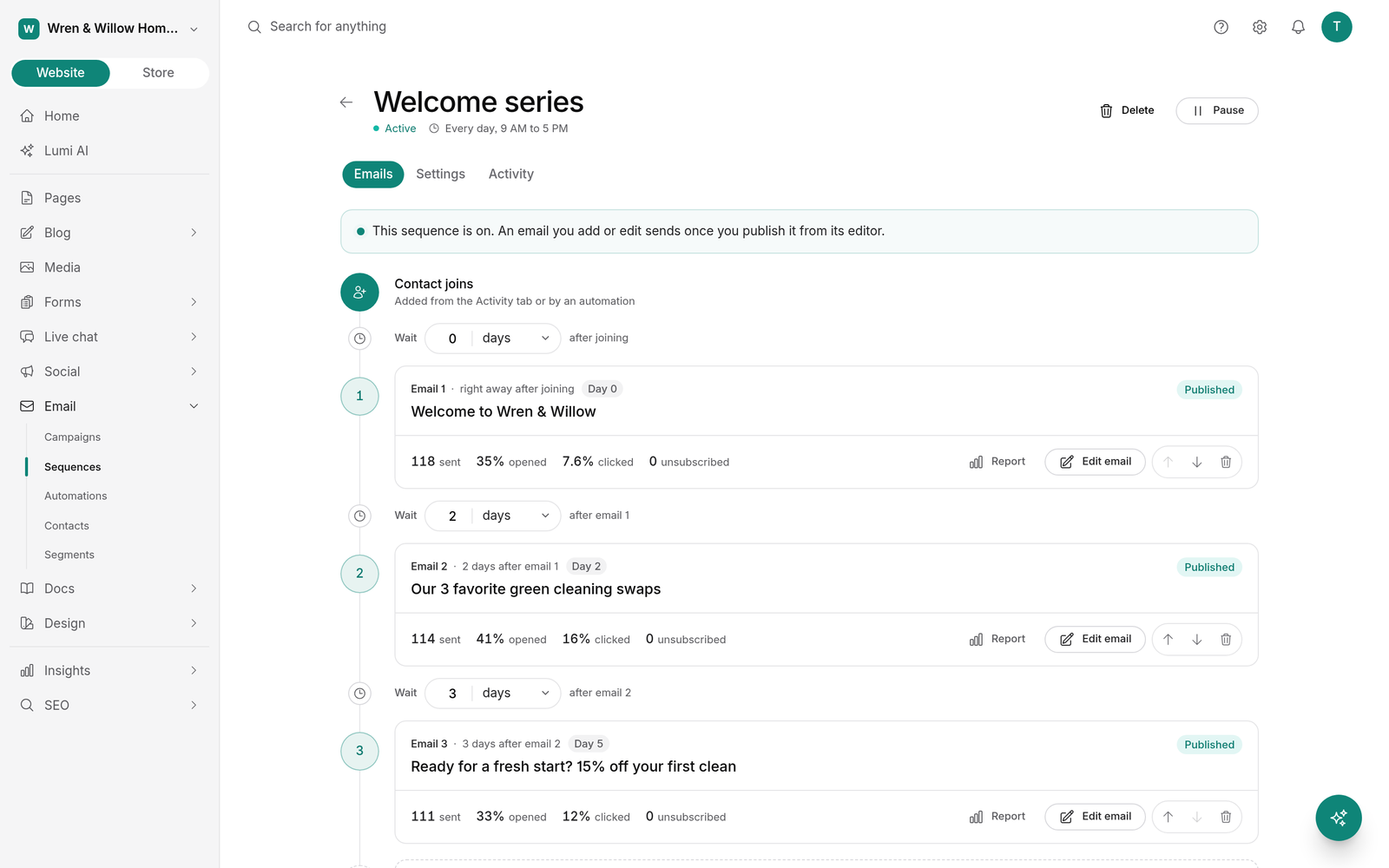
- Set a send window, such as weekdays from 9 to 5, in each contact's time zone.
- Add contacts with an automation, by hand, from a segment, or when they click a button in a campaign.
- Unsubscribing ends the sequence for that person.
- Every email in the sequence has its own sent, opens, clicks, and unsubscribes.
Automations and sequences are on the Grow and Scale plans. Launch sites see an upgrade notice in their place. Free trials include them.
New for campaigns, on every plan
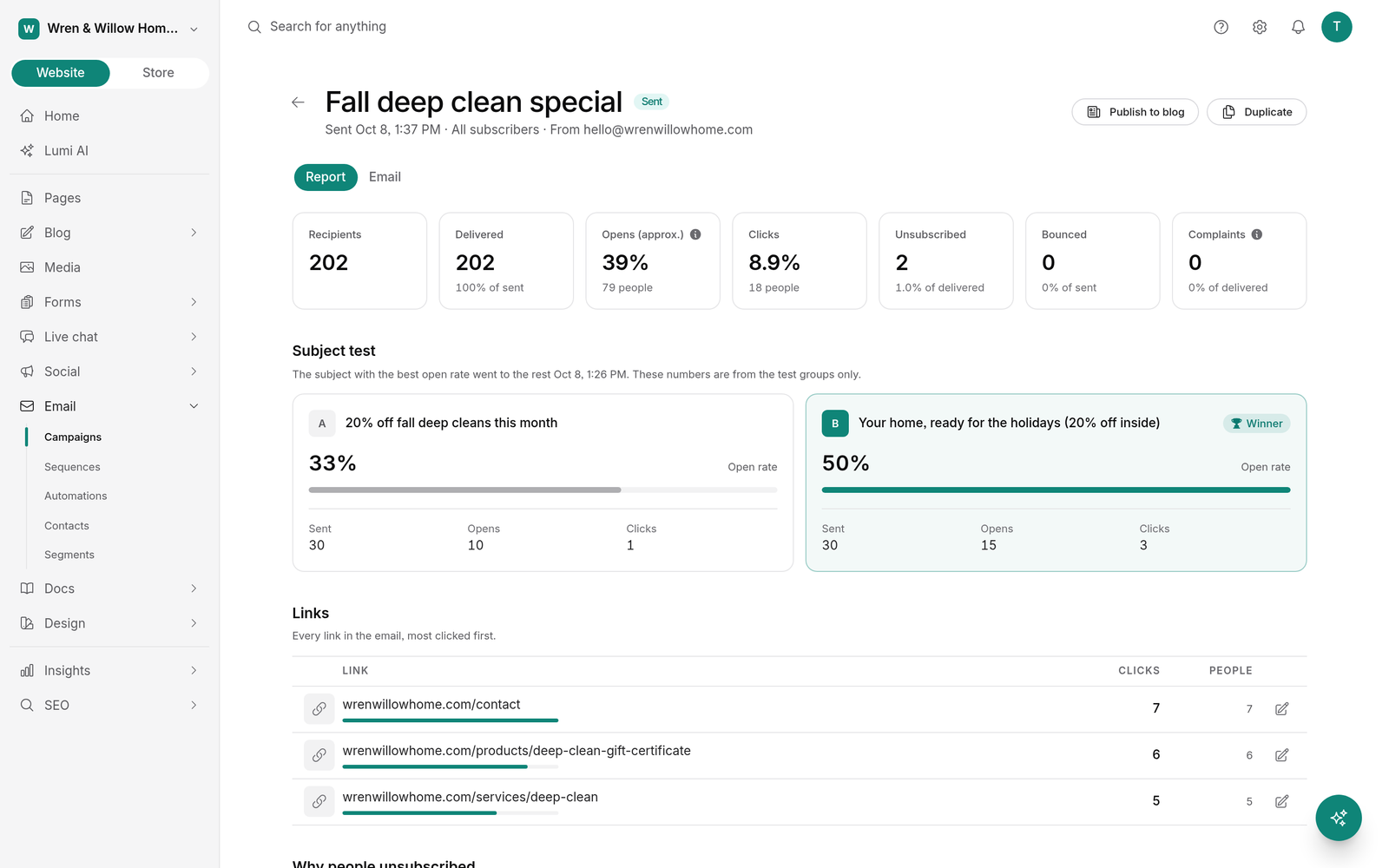
A/B tests. Test 2 to 5 subject lines, or 2 versions of the content. A test group gets each version, and after the wait you choose (30 minutes to 4 hours), the winner goes to everyone else. Subject tests pick the best open rate, and content tests pick the best click rate. Results are on the campaign report. Testing 3 or more subject lines needs a list of at least 750.
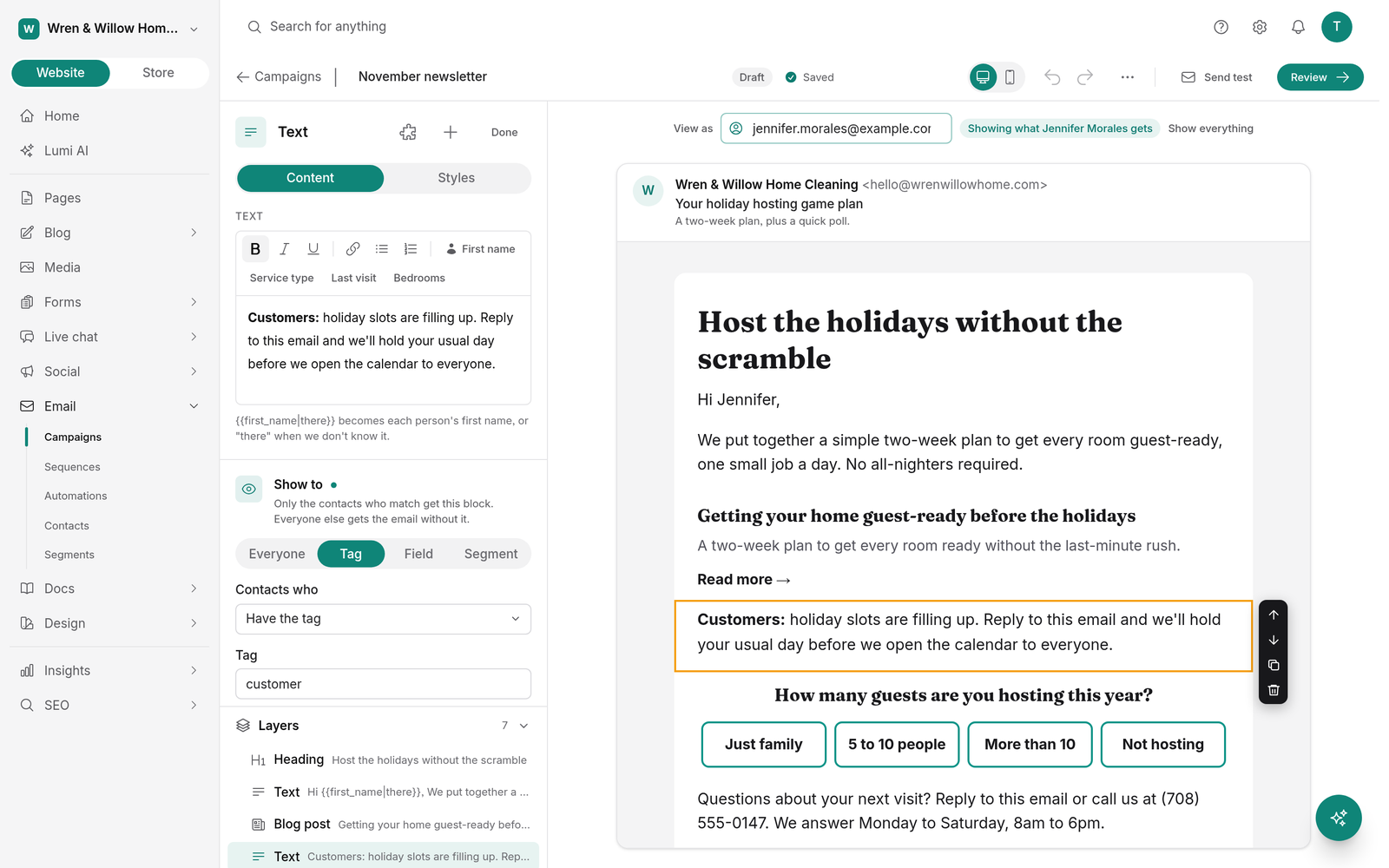
Content for some contacts only. Any block can show only to contacts with a tag, a field value, or in a segment. View as shows the email the way a specific contact will see it.
Buttons that do something. Clicking a button can tag the contact or start a sequence. Clicks from mail scanners and bots are filtered out so the tags stay accurate.
Polls. Add clickable answers to an email. Each answer tags the person who picked it, and the results show on the report.
Snippets. Save a block, such as a signature, a promo, or a booking button, and reuse it. Edit the snippet once and every email that uses it updates.
Fix a link after sending. Sent the wrong link? Change where it goes, even in emails already delivered. New clicks go to the new address.
Blog post emails. New posts can email your subscribers on their own, one email per post or a digest on the days you pick. It's off until you turn it on.
Also: turn a sent campaign into a blog post draft, and get a warning before you send an email long enough for Gmail to cut off.
Know your list better, on every plan
Custom fields. Add text, number, date, or choice fields to contacts. They fill from forms and CSV imports and work as merge tags with a fallback, like {{contact.plan|there}}.
Segments with more filters. Filter by tags, fields, signup source, form, engagement, purchases, campaign activity, and more, in groups that match Any, All, or None.
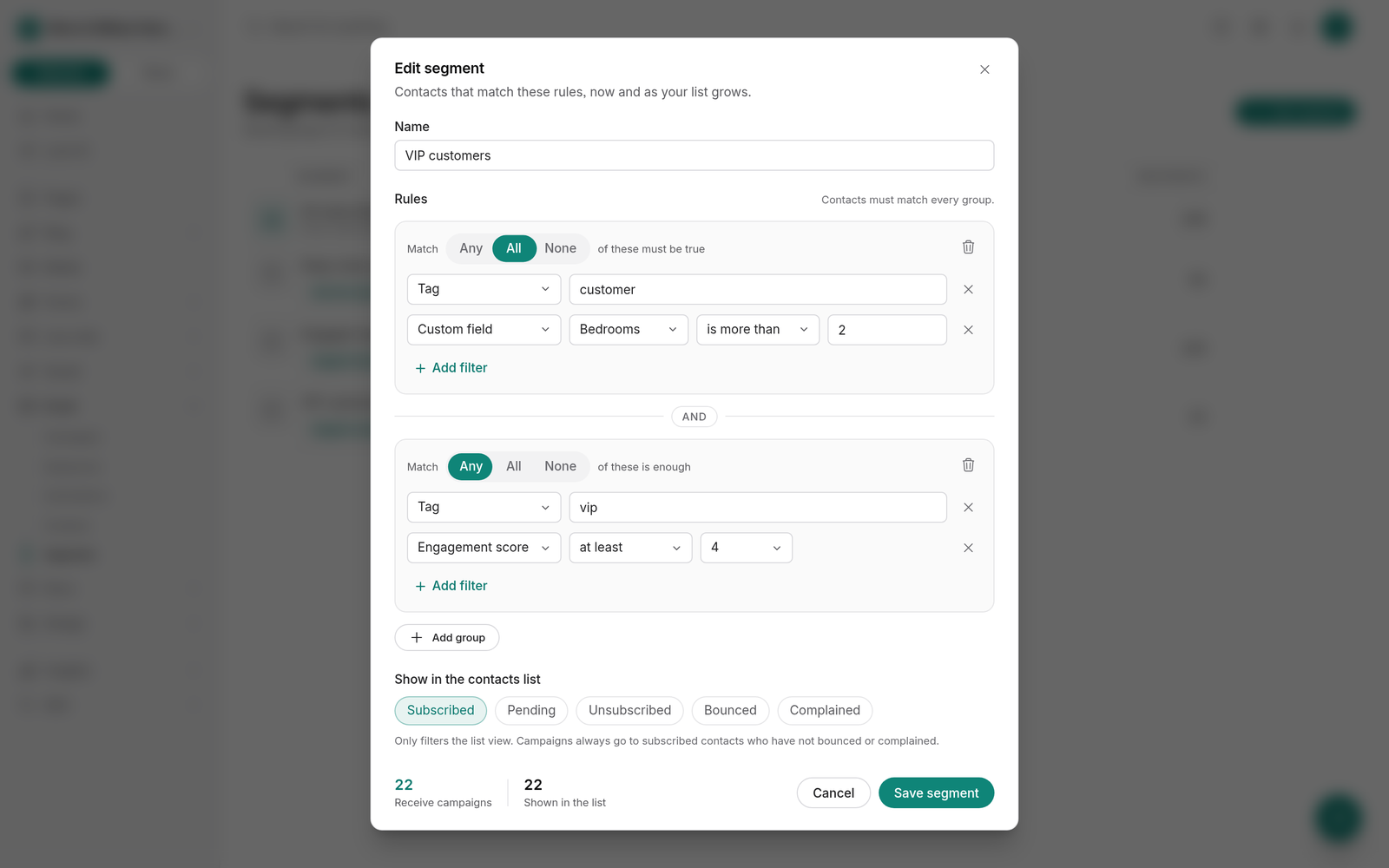
Engagement scores. Each contact gets a score from 1 to 5. Filter for cold contacts, or use Clean my list to unsubscribe people who stopped opening.
A preference center. Create up to 10 topics, such as Newsletter or Offers, and let subscribers pick the ones they want. When you have topics, the unsubscribe page offers "Get fewer emails instead."
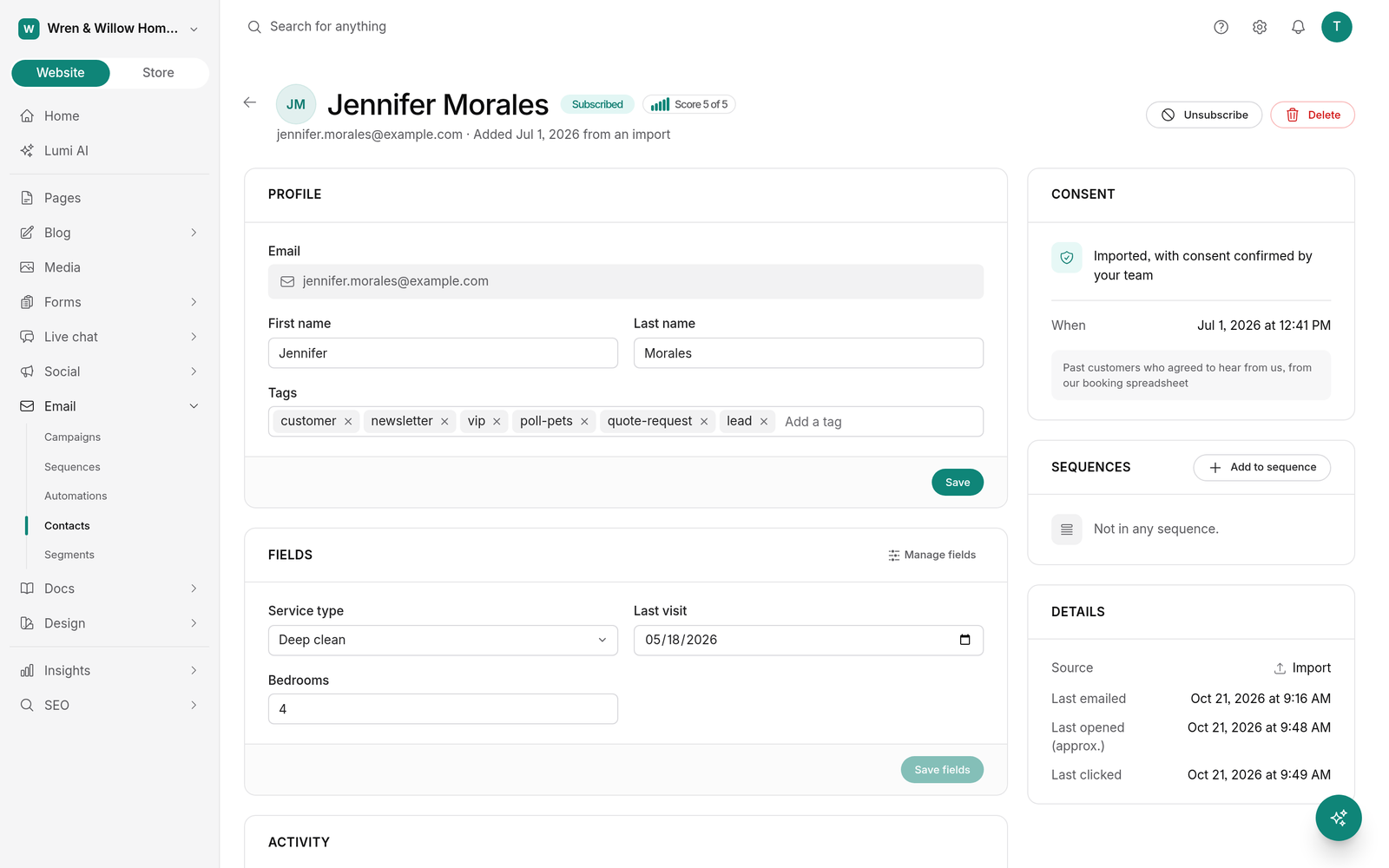
Contact profile. Each contact's profile shows custom fields, the engagement score, sequences, and a timeline: tagged, opened, clicked, form submitted, field changed, and more.
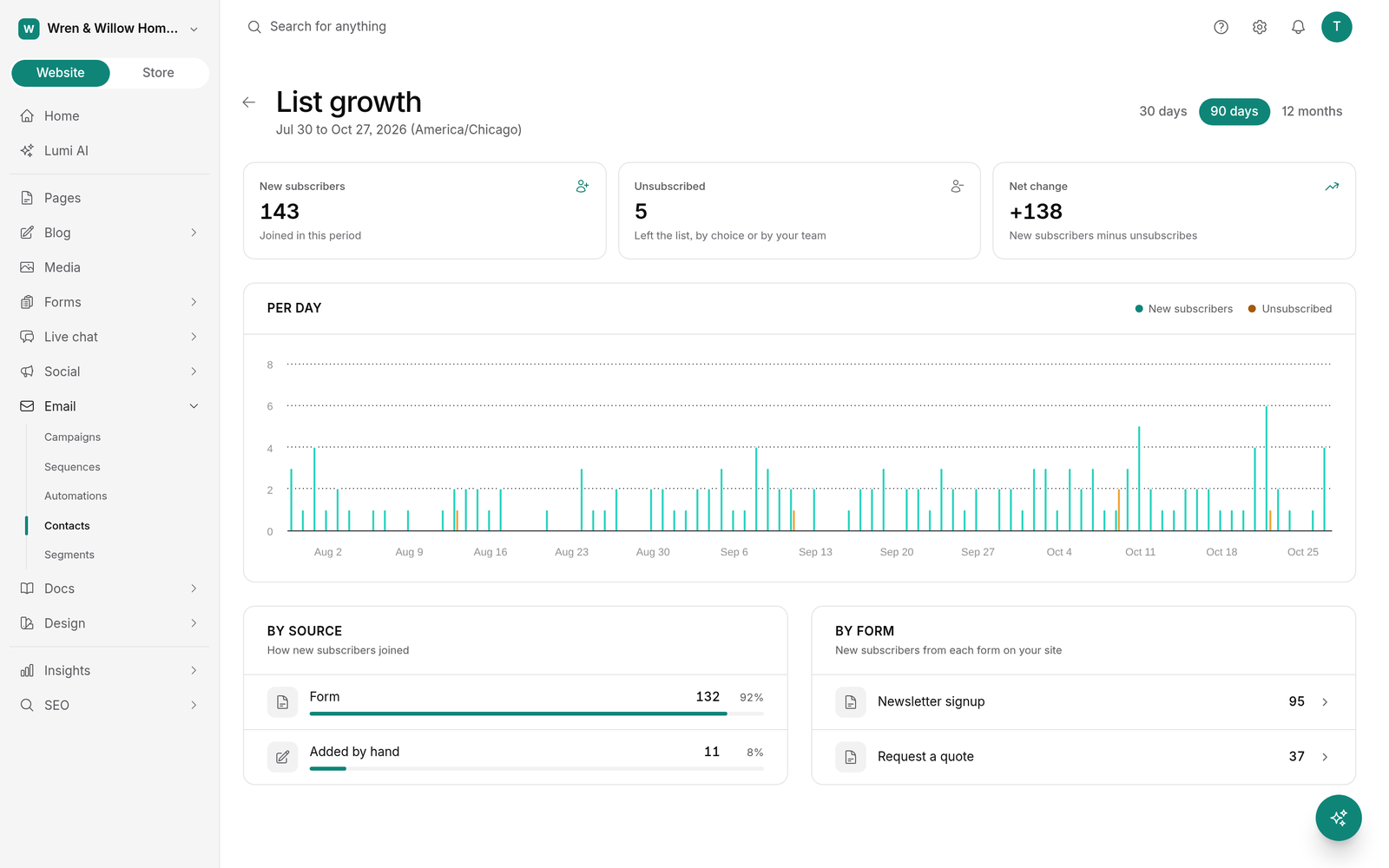
Growth report. New subscribers, unsubscribes, and net change by day, by source, and by form.
Ask Lumi, Claude, or ChatGPT to set it up
Lumi in the app, and Claude or ChatGPT through the BrightSite connector, can build automations, sequences, segments, and custom fields from a plain request:
When someone fills out the contact form, tag them lead and notify me.
Lumi asks for your approval before it changes a link in an email that was already sent. On Launch, the agent tells you automations need Grow or Scale and doesn't create anything.
Plans and limits
Contact and email limits haven't changed. Every email counts toward the monthly limit, including sequence, automation, and blog post emails.
| Launch | Grow | Scale | |
|---|---|---|---|
| Contacts | 1,000 | 5,000 | 25,000 |
| Emails a month | 5,000 | 30,000 | 150,000 |
| Campaigns, A/B tests, segments, fields, preference center | Yes | Yes | Yes |
| Automations and sequences | No | Yes | Yes |
There's no limit on how many automations, sequences, segments, or snippets you make. Until you verify your own sending domain, email from the shared BrightSite address is capped at 50 a day.
If you move from Grow to Launch, nothing is deleted. Automations and sequences pause where they are and pick up from the same spot when you upgrade again.
Get started
Open Email in your dashboard and start from a recipe under Automations. The email docs walk through each feature, and pricing has the full plan comparison.
New to BrightSite? Start a free trial. Trials include automations and sequences.