Email is the one marketing channel a small business owns outright. Social reach depends on whatever the platform decides to show this week, and search rankings take months to build. Once someone joins your email list, you can reach them whenever you have something worth saying.
The hard part for most small businesses isn't writing the email. It's the setup around it. A separate email tool, a signup form embedded from somewhere else, a list that has to be synced or exported, and a second login to remember. Each piece is one more thing that quietly breaks.
Email campaigns are now built into BrightSite
Every BrightSite plan now includes email campaigns. Contacts, segments, the editor, and reports all live under Email in your dashboard, next to the site the signups come from.
Signups land on your list automatically
Add the Add to list action to any BrightSite form, map the email and name fields, and pick tags for everyone who signs up through it. That's the whole connection.
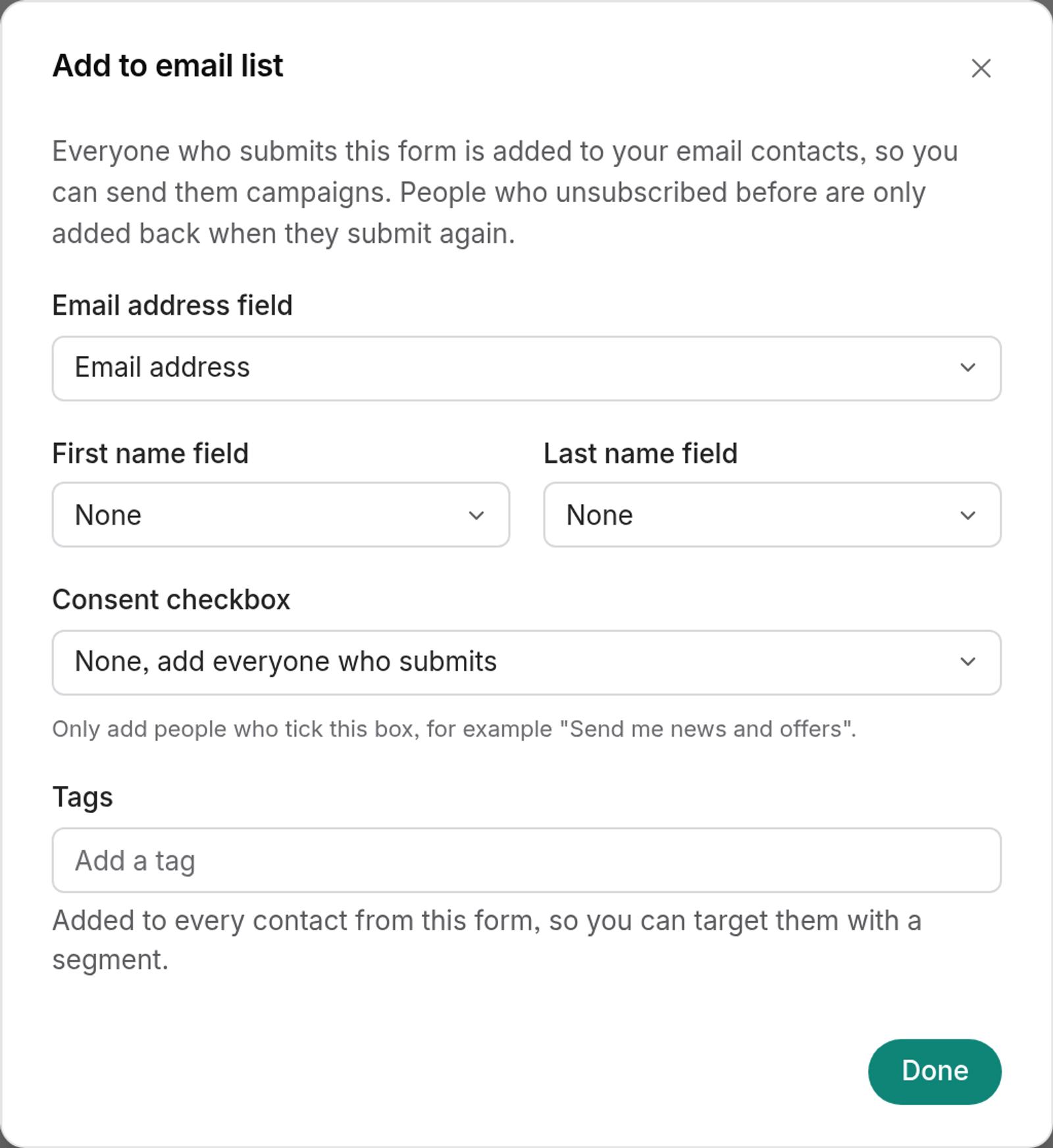
Double opt-in is on by default. New signups get a confirmation email and stay pending until they click it, which keeps typos and fake addresses off your list. You can turn it off in Settings → Email.
Already have a list? Import a CSV of up to 50,000 rows. Email, first name, last name, and tags columns are matched automatically.
Segments that keep themselves up to date
A segment is a saved group of contacts based on tags and how they signed up, such as everyone from the catering inquiry form. Segments update as contacts change, so someone who gets a matching tag next week is included in the next send.
An editor you already know
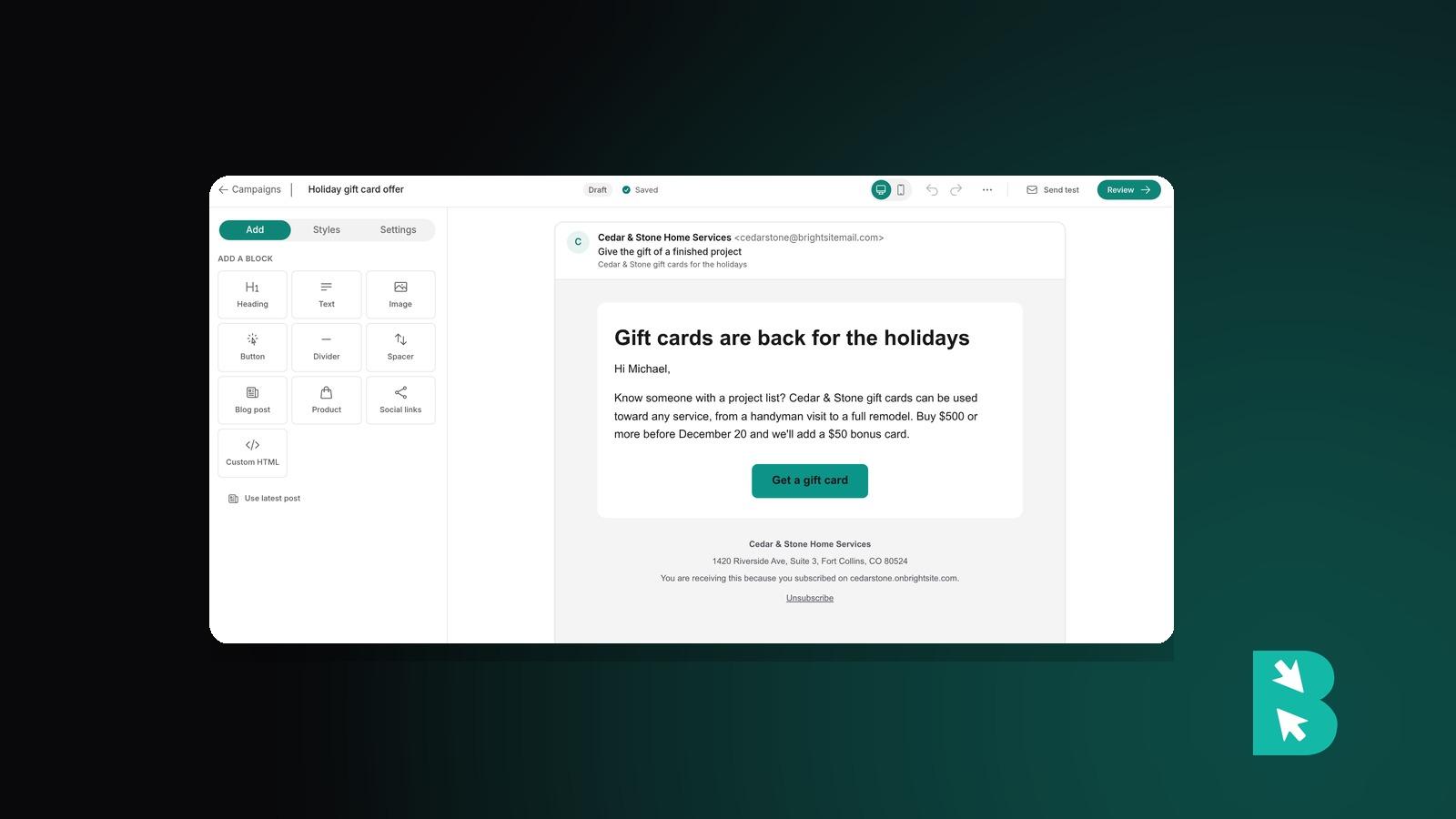
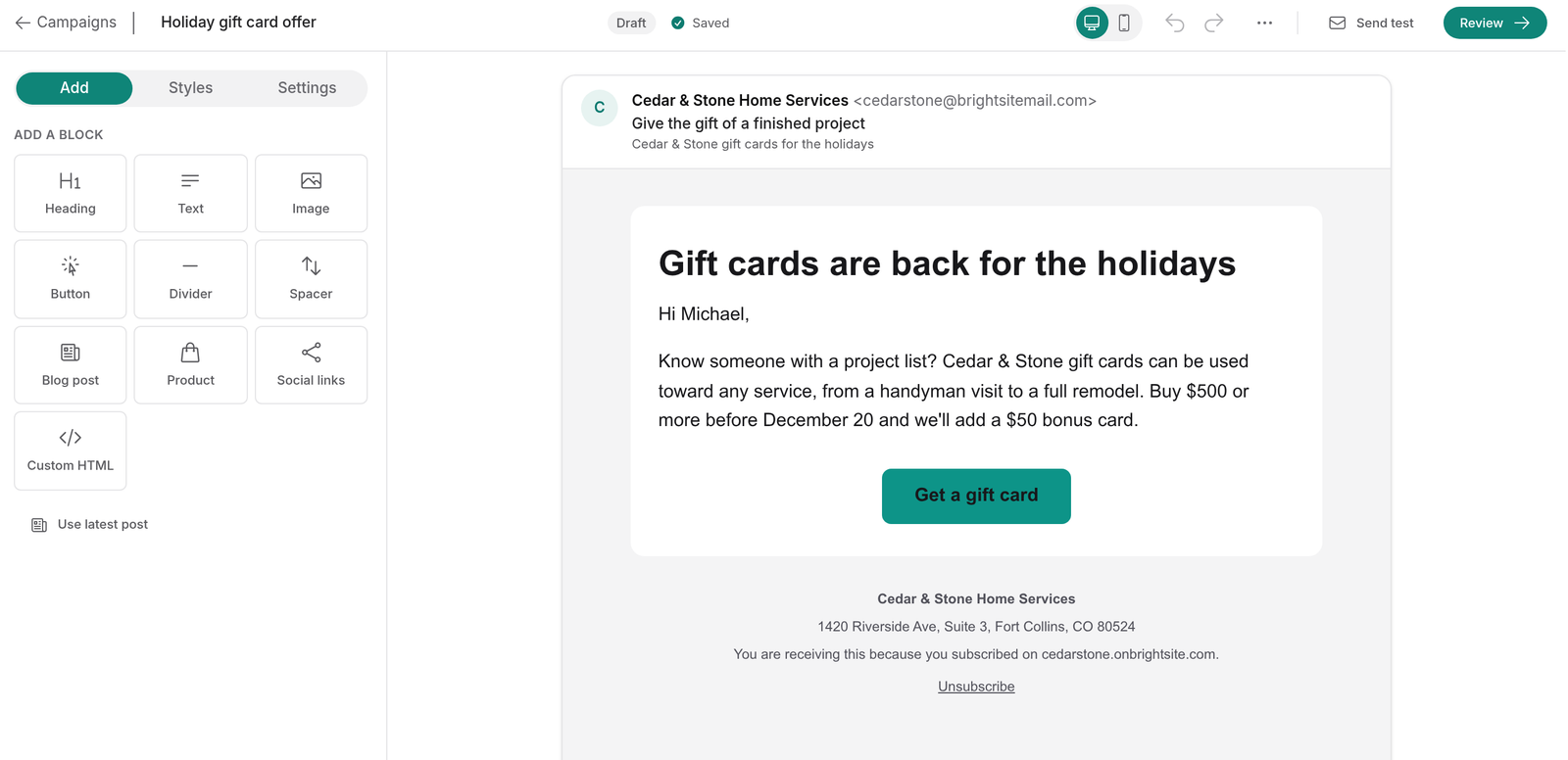
Campaigns are edited on the same click-to-edit canvas as your pages. Click a block to change it, hover between blocks to add one, and set colors and fonts once for the whole email. Anything you don't set falls back to your site's design, so your emails look like your website without extra work.
You can start blank, start from your latest blog post (the quickest way to send a monthly newsletter), or paste in your own HTML. Merge tags like {{first_name|there}} personalize each email. Preview on desktop and mobile, then send a test to up to five addresses.
Review, send, and see what happened
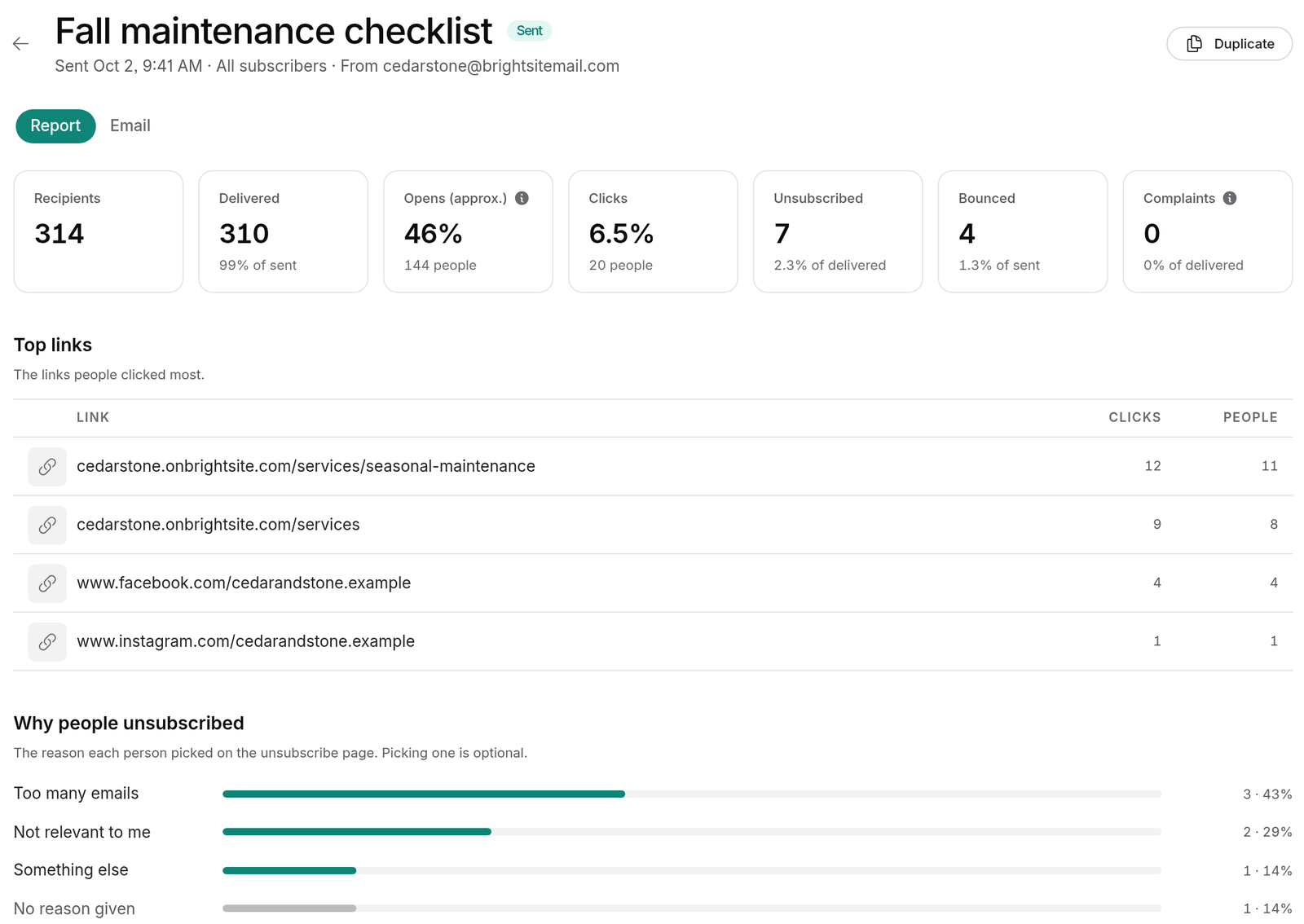
Before anything goes out, a review screen runs a checklist and flags problems. Then send now or schedule it. Each sent campaign reports deliveries, opens, clicks per link, unsubscribes, and why people unsubscribed, with activity for every recipient. Links to your own site get UTM tags by default, so visits from each campaign show up in your BrightSite analytics.
Lumi can draft it for you
Lumi, Claude, and ChatGPT can manage contacts and segments, draft campaigns, send tests, schedule sends, and read reports. They always ask before anything that sends email or adds people to your list.
Sending from your own domain
For the best delivery, verify your domain in Settings → Email so campaigns come from an address like news@yourbusiness.com. You add a few DNS records, and if BrightSite manages your domain's DNS, they're added for you. Until a domain is verified, campaigns go out from a shared BrightSite address with replies going to you, limited to 50 emails a day.
Every email includes a one-click unsubscribe link, hard bounces and spam complaints are suppressed for good, and sending pauses automatically if bounces or complaints climb too high. Those rules protect your sender reputation and keep your emails out of spam folders.
Five habits that make small business email work
- Ask at the right moment. A signup box on your contact page and after a purchase beats a popup on arrival.
- Send on a rhythm you can keep. Monthly is plenty for most small businesses. Building each issue from your latest blog post keeps it manageable.
- Write like a person. Keep it short and plain, and sign it from someone at the business. People open email from businesses they recognize.
- One main link per email. Decide what you want people to do and make that the obvious click.
- Watch clicks more than opens. Many mail apps load images for privacy, which inflates open counts. Clicks show real interest.
What it doesn't do (yet)
Campaigns are one-off sends to everyone or a segment. There are no automated sequences or A/B tests, contacts don't have custom fields, and segments can't filter by opens, clicks, or dates.
Limits by plan
| Launch | Grow | Scale | |
|---|---|---|---|
| Contacts | 1,000 | 5,000 | 25,000 |
| Emails a month | 5,000 | 30,000 | 150,000 |
| Remove the "Sent with BrightSite" badge | No | Yes | Yes |
Free trials can send up to 100 emails a day. See sending and reports for daily caps and what happens at a limit.
Setup steps for contacts, campaigns, and sending are in the email campaigns docs.
Email campaigns are included on every BrightSite plan, from $29 a month. Already on BrightSite? Open Email in your dashboard and connect your first form. Everyone else can see how it works or start a free trial.