DNS records explained
What the DNS records BrightSite asks you to add actually do, in plain language, and why you should not delete them later.
When you connect a custom domain, BrightSite gives you a short list of DNS records to add at your registrar. This page explains what those records are, so you are not copying values you do not understand.
You do not need to read this to connect a domain. Follow the instructions on the Domains and DNS screen and it will work. Read this if something has gone wrong, or if you like knowing why.
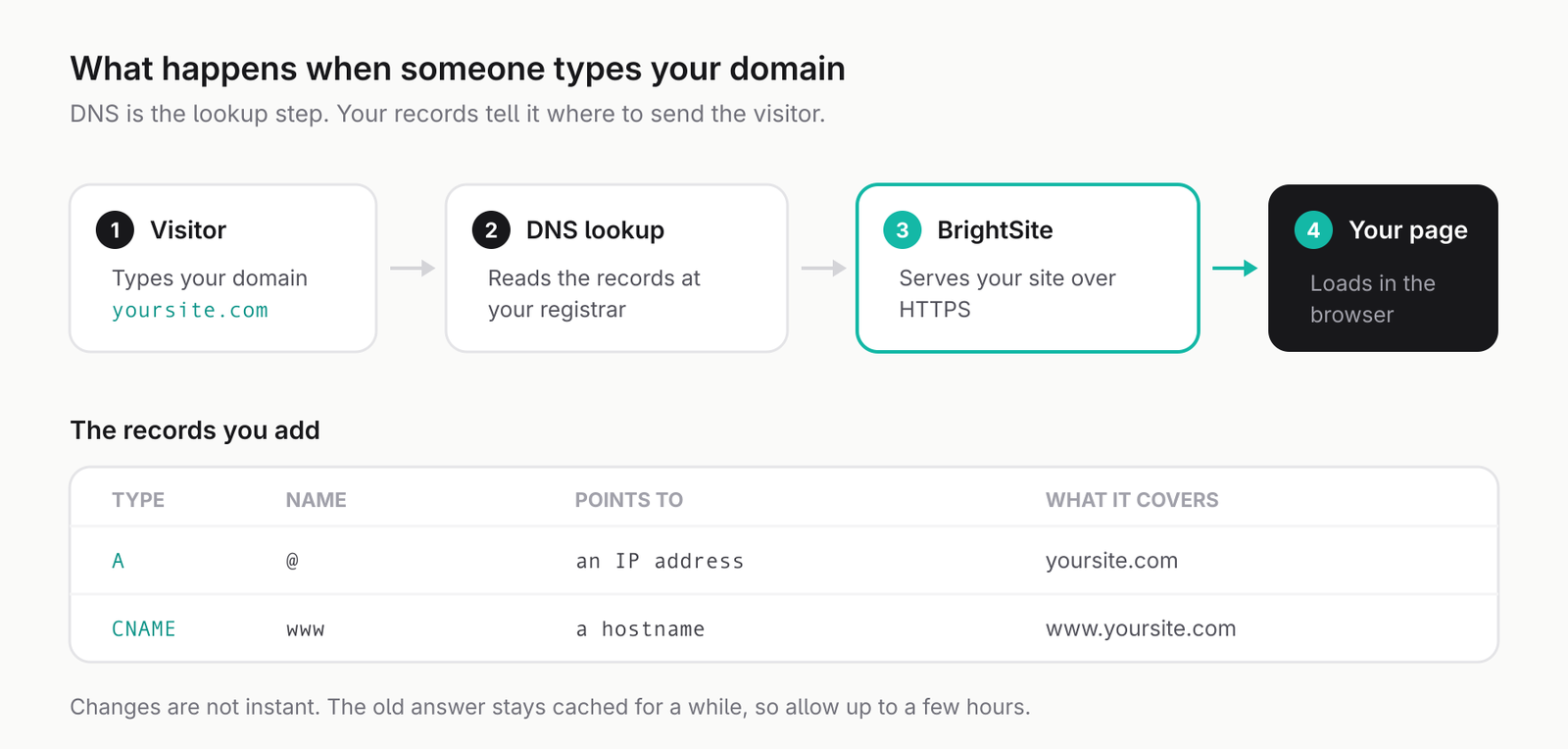
What DNS actually is
People type a name. Computers need a location. DNS is the system that translates between them, like a phone book for the internet.
Your domain has a set of records that make up its entry in that phone book. Each record answers one question about your domain: where the website is, where email goes, and so on. Connecting your domain to BrightSite means adding the records that say "the website is over here".
You edit these at your registrar, the company you bought the domain from, usually in a section called DNS, Nameservers, or Domain Settings.
The record types you will see
There are many record types. In practice you will meet these.
| Type | What it does |
|---|---|
| CNAME | Points one name at another name. "Whatever that address resolves to, use that." This is what BrightSite uses. |
| A | Points a name at a fixed numeric address. Common on older setups. BrightSite does not ask you for one. |
| TXT | Holds a piece of text rather than a location. Used to prove you own the domain, and for email security settings. |
| MX | Says where your email should be delivered. Nothing to do with your website. |
The important one for you is CNAME, because that is what BrightSite uses for everything.
The records BrightSite asks for
Every record BrightSite gives you is a CNAME. There are usually four, and they fall into two groups.
The two that point your site at BrightSite
One record for your bare domain, shown as @ at most registrars, and one for www. Together they mean that both yourbusiness.com and www.yourbusiness.com reach your site.
These are the records that make your website work. If your domain shows nothing, or shows someone else's page, these are what to check.
The two that keep your padlock working
Two more records whose names start with _acme-challenge. These look cryptic and are easy to mistake for junk. They are not.
They exist so the certificate that gives your site its HTTPS padlock can be renewed automatically. Certificates expire every few months. When renewal time comes, these records are how BrightSite proves to the certificate authority that the domain is still yours.
Do not delete these once your site is working. Nothing breaks the day you remove them. Your site keeps working for weeks. Then the certificate comes up for renewal, silently fails, and visitors start getting a security warning on your site. It is a nasty problem precisely because the cause is months in the past by the time you notice.
Filling in the form at your registrar
Registrars use different words for the same three boxes.
- Type: choose CNAME.
- Name, sometimes called Host or Hostname. Enter the part BrightSite shows on the left. For your bare domain this is usually
@, though some registrars want the domain itself or want the box left empty. - Value, sometimes called Target, Points To, or Content. Enter the address BrightSite shows on the right, copied exactly.
If there is a TTL box, leave it on the default or automatic. It controls how long other computers remember the answer, and the default is fine.
Copy the values from your own Domains and DNS screen rather than from any guide, including this one. They are specific to your domain.
Records already there
If your domain previously pointed at another website, old records will be in the way. A domain cannot have two conflicting answers for the same name.
Remove or replace the old records for @ and www only. Leave everything else alone. In particular, do not touch MX records or anything mentioning mail, SPF, DKIM or DMARC. Those run your email. Deleting them stops your email arriving, which is a far worse afternoon than a website that is not loading yet.
Why nothing happens immediately
DNS changes are not instant. The old answer is cached around the internet and expires gradually, so a change can take anywhere from a few minutes to a day to be seen everywhere.
During that window your site may work for you and not for a colleague, or work on your phone but not your laptop. That is normal and it resolves on its own.
Wait a few hours before concluding something is broken. If it is still wrong the next day, the records are probably wrong rather than slow.
Related
- Custom domains: connecting your domain, and choosing your primary address.
- My domain isn't working: what to check when it does not load.
- Search engine indexing: getting the new address into Google.
Last updated September 9, 2026