AI is included in every BrightSite plan. The AI Usage & Access screen shows how much your organization uses AI chat, who has been using it, and who is allowed to.
Open it from Settings: click the cog icon in the top right, then AI usage & access under Organization. You can also go to /app/ai-settings. You need the "manage AI" permission to see it.
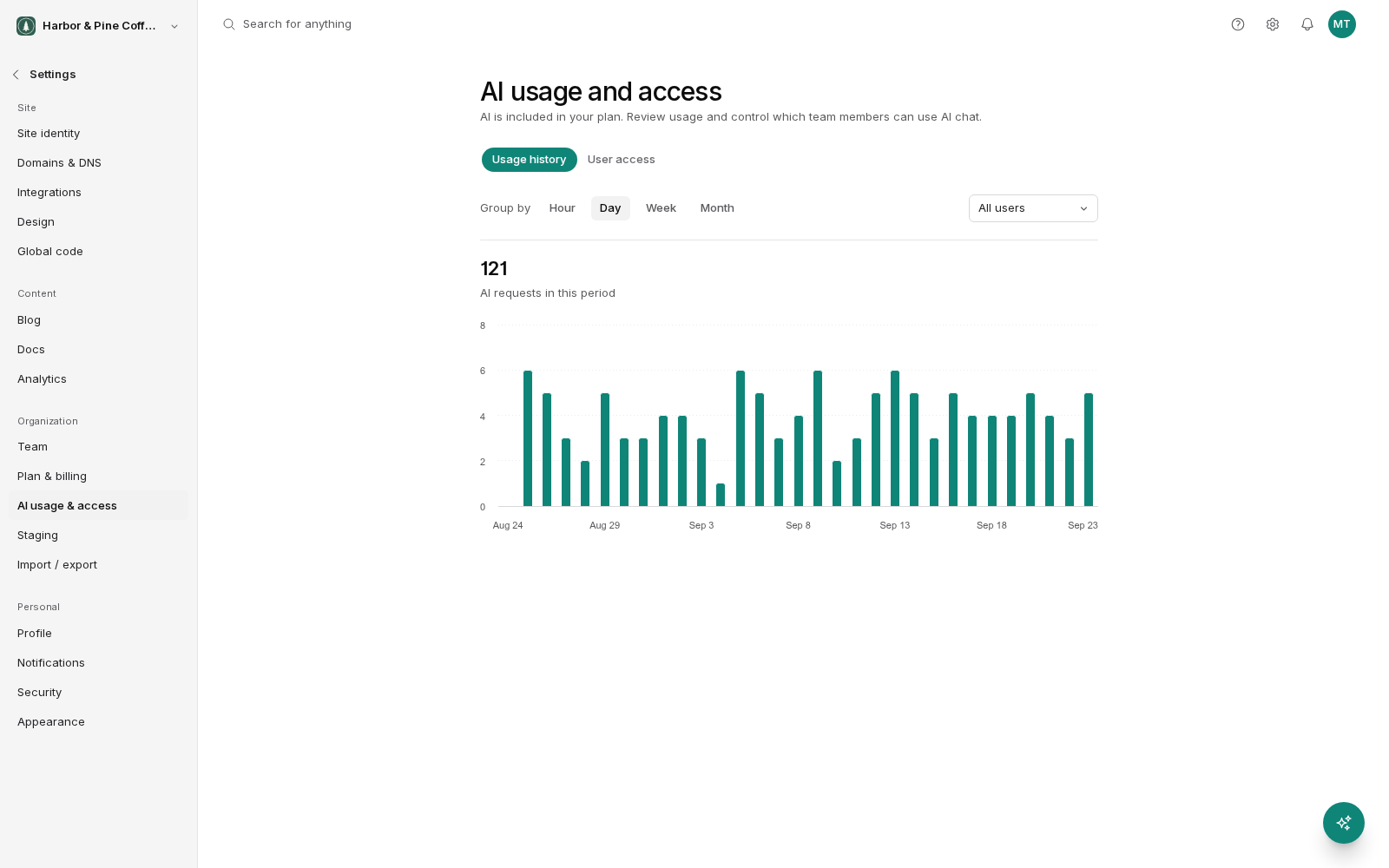
Usage history
The Usage history tab charts the number of AI requests over time. It counts requests, not money: there is nothing to pay per request. Group the chart by hour, day, week, or month.
- Hour: for looking at a specific session, such as a big job that has just run.
- Day: the everyday view. Enough detail to spot an unusual spike.
- Week and month: for trends.
You can also filter by user to see who is using AI. This is not about policing anyone. More often it shows that one person has found a genuinely useful workflow, and the rest of the team should hear about it.
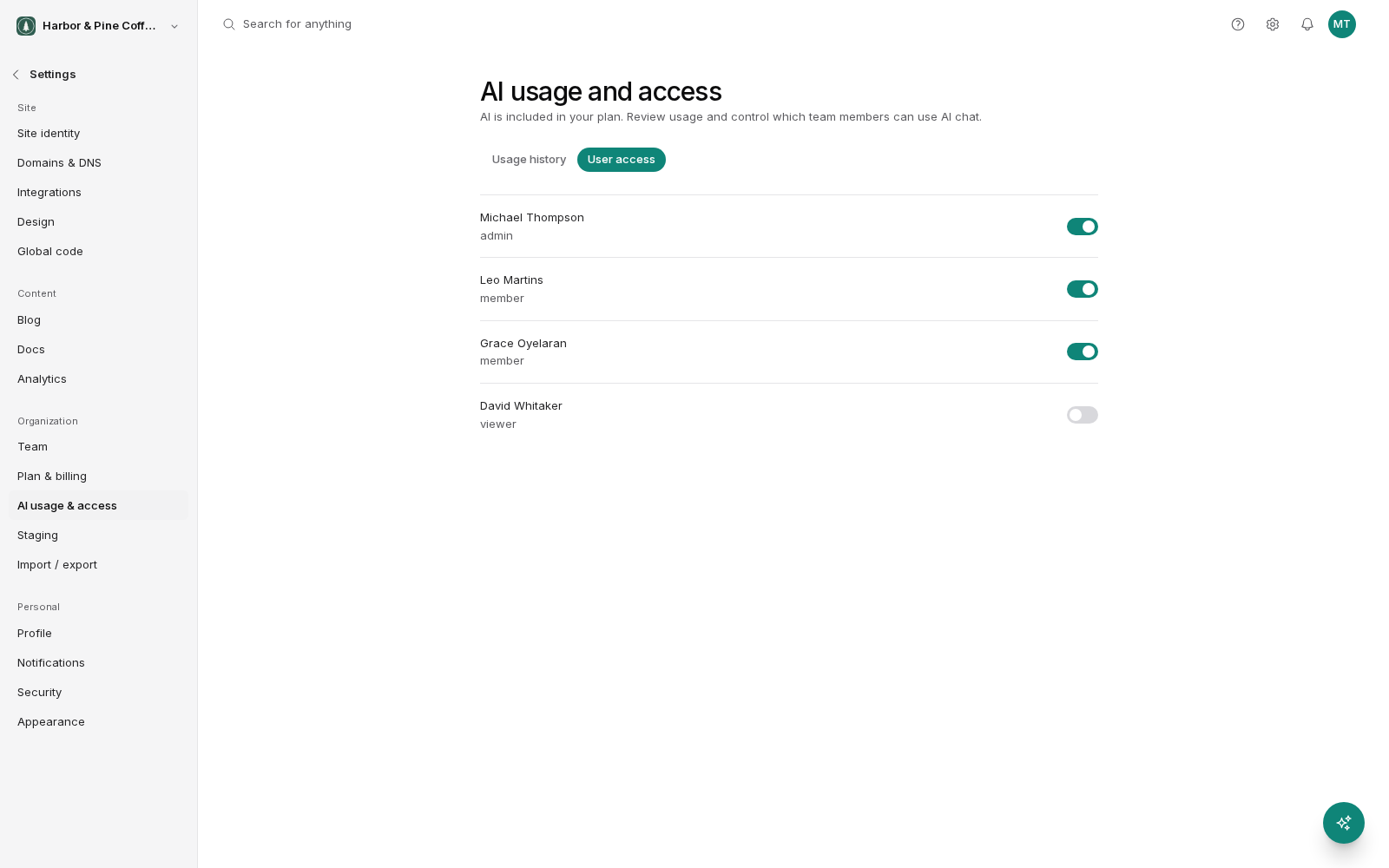
User access
The User access tab has an on/off switch for each team member. Turn it off and that person can no longer use AI chat in your organization. Turn it back on at any time.
Some ways people use it:
- Keep AI to the people who need it. Editors and writers get AI; people who only need to view reports do not.
- Pause one person. Switch off AI for someone who is still learning the site, then switch it back on later.
This switch controls AI chat only. It is separate from a person's role, which controls what they can change in your site. Both apply: someone with AI on and a viewer role can ask questions but cannot get AI to publish anything.
Fair use
There are no credits, balances, top-ups or auto-reload. Use is subject to fair use: BrightSite reviews unusually heavy use rather than blocking it.
AI chat only stops in two cases:
- An organization admin turns AI off for a specific team member on the User access tab.
- BrightSite support pauses AI for the whole account. Lumi then shows: "AI chat is paused for this account. Get in touch with support and we'll get you going again." Contact support to have it turned back on.
Nothing else about your site is affected in either case. Your pages stay live and everything else works as normal.
What this does not cover
This screen covers Lumi, the AI used inside BrightSite. An external AI tool connected over MCP, such as Claude or Cursor, runs on your own plan with that tool's provider. Connecting an external tool costs nothing on the BrightSite side on any plan, and its usage will not appear on this screen.