A heatmap takes many visits to one page and draws them as a single picture. Instead of watching sessions one by one, you see where everyone clicked and how far down the page they got.
Heatmaps are included on the Grow and Scale plans. If you are on Launch, you will not see them under Insights in the sidebar. See Plans and billing to compare plans.
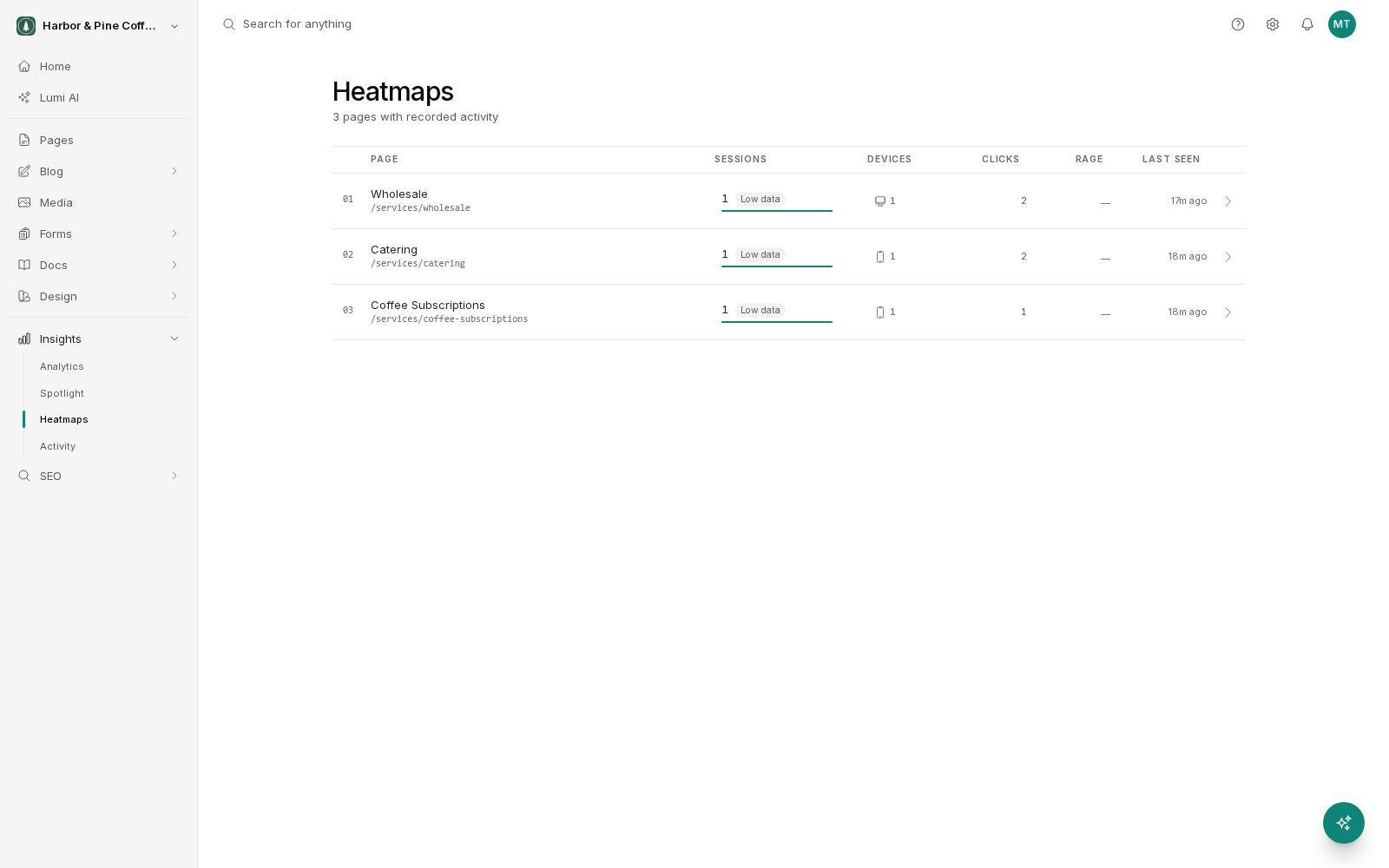
Choosing a page
The heatmaps screen lists your pages ranked by sessions, so the pages with the most data appear first. Pick one and the map is drawn over a rendering of that page.
A page needs a reasonable number of sessions before its map means anything. A handful of visits produces a picture that changes completely with the next visitor. Start with your busiest pages.
The layers
Each page can be viewed through several layers.
- Clicks: where people clicked, with hotter areas showing more clicks. This is the layer that most often surprises people, because visitors click things that are not links.
- Scroll depth: how far down the page people got. It shows you the point where most of your audience has stopped reading, which tells you how much of the page is doing any work at all.
- Engagement zones: which sections held attention rather than being scrolled past.
Rage clicks
A rage click is repeated rapid clicking in the same spot. It is what people do when they expect something to happen and it does not.
Rage clicks usually mean one of three things:
- Something looks clickable but is not, such as a heading styled like a link, an image people expect to enlarge, or a phone number that is plain text on mobile.
- Something is clickable but slow, so the visitor clicks again thinking the first click missed.
- Something is broken.
Each is a small fix with a direct effect. Make the thing a real link, speed it up, or repair it.
Device tabs
Switch between device tabs to see each map for desktop, mobile, and tablet separately. Do not skip this. A layout that works on a wide screen often pushes your main call to action far below the fold on a phone, and the scroll map shows it immediately. Where most of your traffic is mobile, the mobile map is the one that matters.
Turning maps into changes
- Look at the scroll map first. If most people stop before your main message, move it up.
- Look at the click map for clicks on non-clickable things. Make those elements links, or remove whatever suggests they are.
- Check whether your buttons are being clicked at all. A button nobody clicks is either invisible or unconvincing.
- Change one thing, then compare the map again after enough new sessions have accumulated.
Heatmaps pair well with Spotlight. The map tells you where something odd is happening; the session replay usually tells you why.