Three words come up repeatedly. They are worth ten minutes now because they explain how permissions, billing and switching all work.
Organization
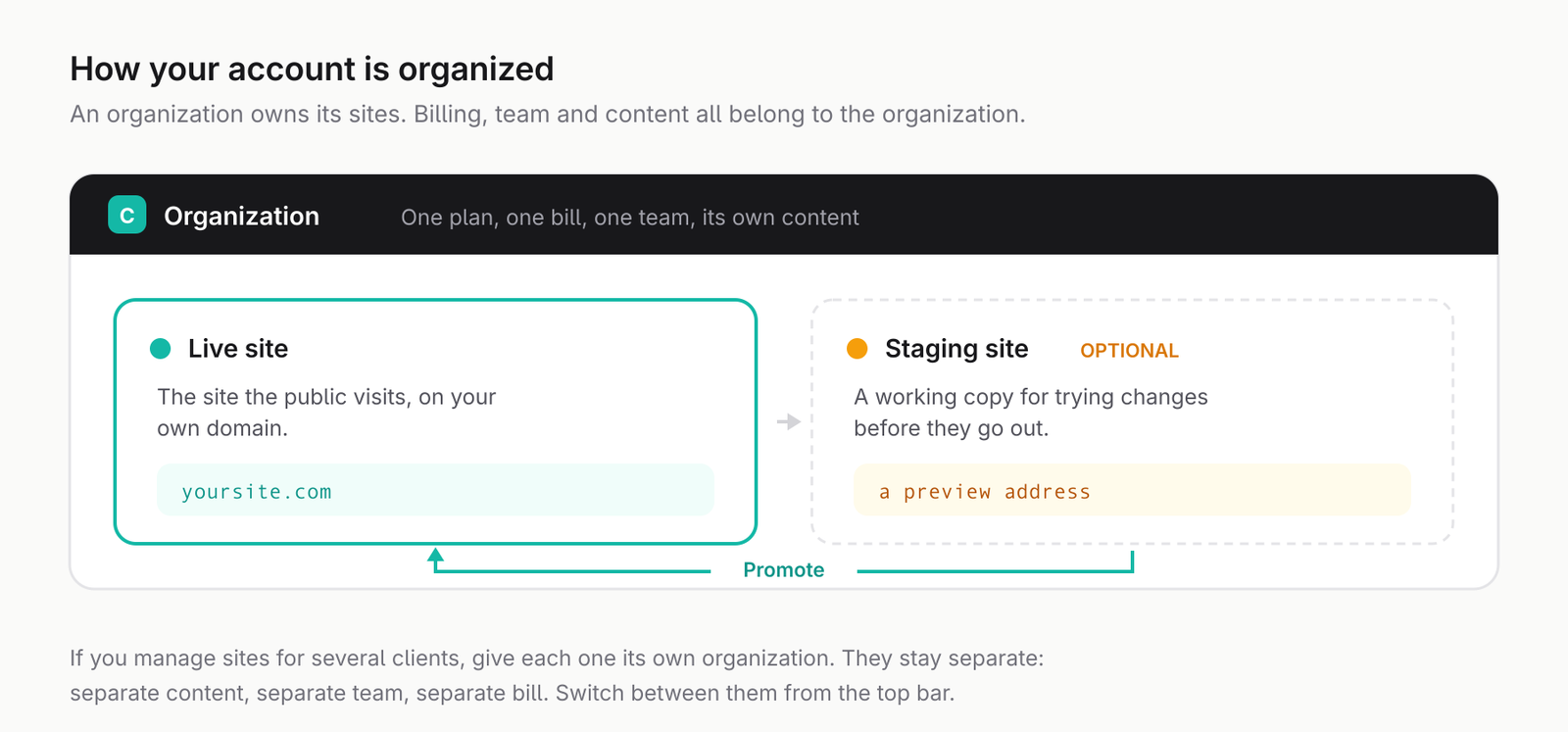
An organization owns one website. It holds the pages, the media, the team, the billing and the domain.
If you run one business, you have one organization and can mostly ignore the word. If you are an agency, you will have one per client. That is what keeps a client's content, team and invoices separate from every other client's.
Site
A site is the website an organization owns. Every organization has one live site: the one the public sees.
An organization can also have a staging site: a private copy where you can rebuild a section, try a redesign, or let a client review work before anyone else sees it. When you are happy, you promote the staging site and its changes become the live site.
The number of staging sites you can have depends on your plan.
Your web address
Every site starts with a free address ending in onbrightsite.com, based on your organization name. It works immediately.
You will usually want your own domain instead. Once you connect one, the BrightSite address keeps working but visitors and search engines are sent to your real domain. The free address is deliberately kept out of search results so it cannot compete with your actual site.
Switching between them
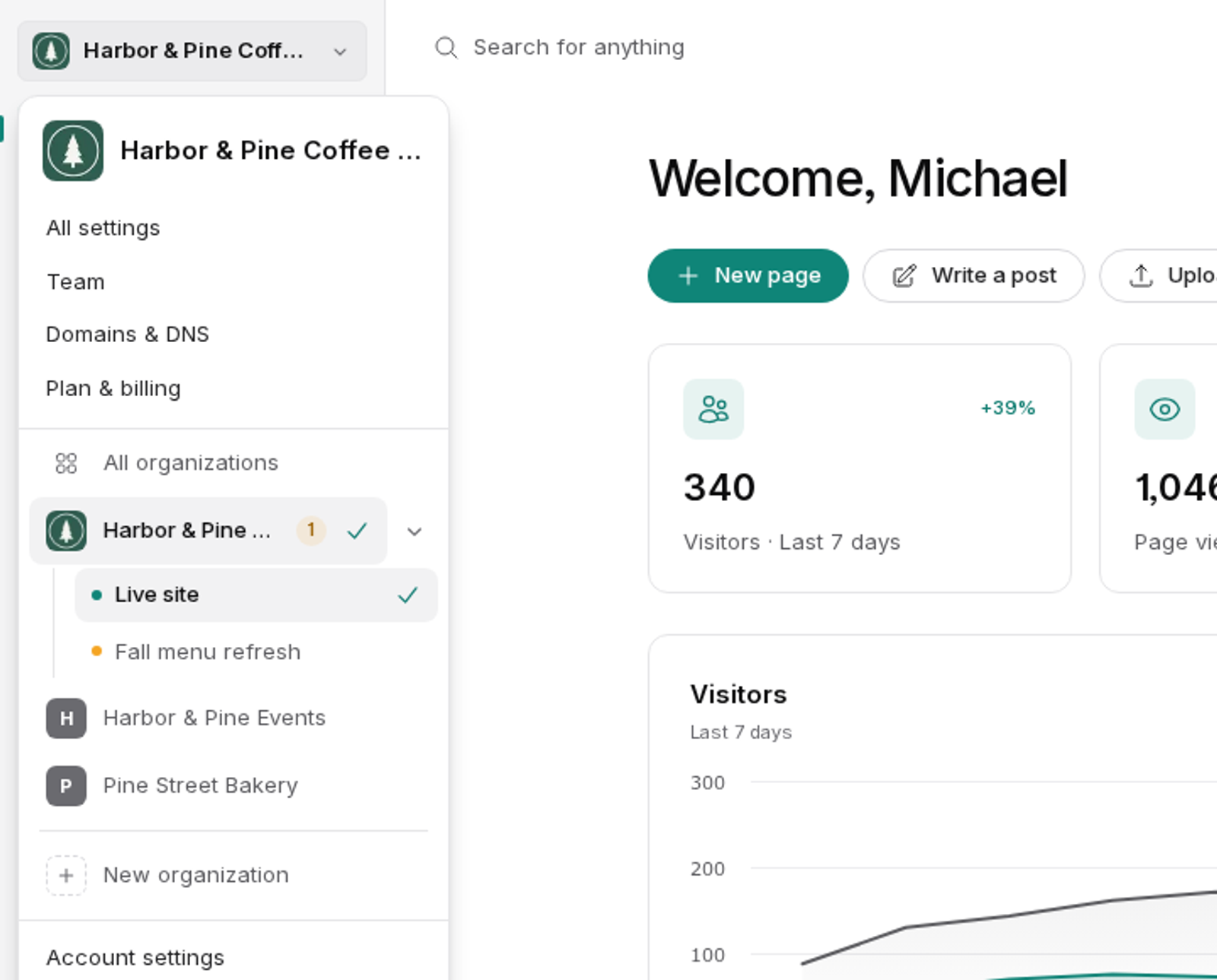
The organization switcher sits at the top of the sidebar and shows the organization you are in. Click it to see every organization you belong to. Organizations with a staging site expand to show both, so moving between live and staging is one click.
When you are editing a staging site, an amber bar appears across the top so you cannot forget. It has an Exit staging button to take you back.
What this means for your team
People are invited to an organization, not to BrightSite as a whole. Someone can be an administrator of one organization and have no access at all to another. An agency can give a client access to their own site without exposing anyone else's.