A redirect sends anyone who visits one address on your site straight to a different one. You set them up under SEO, then Redirects.
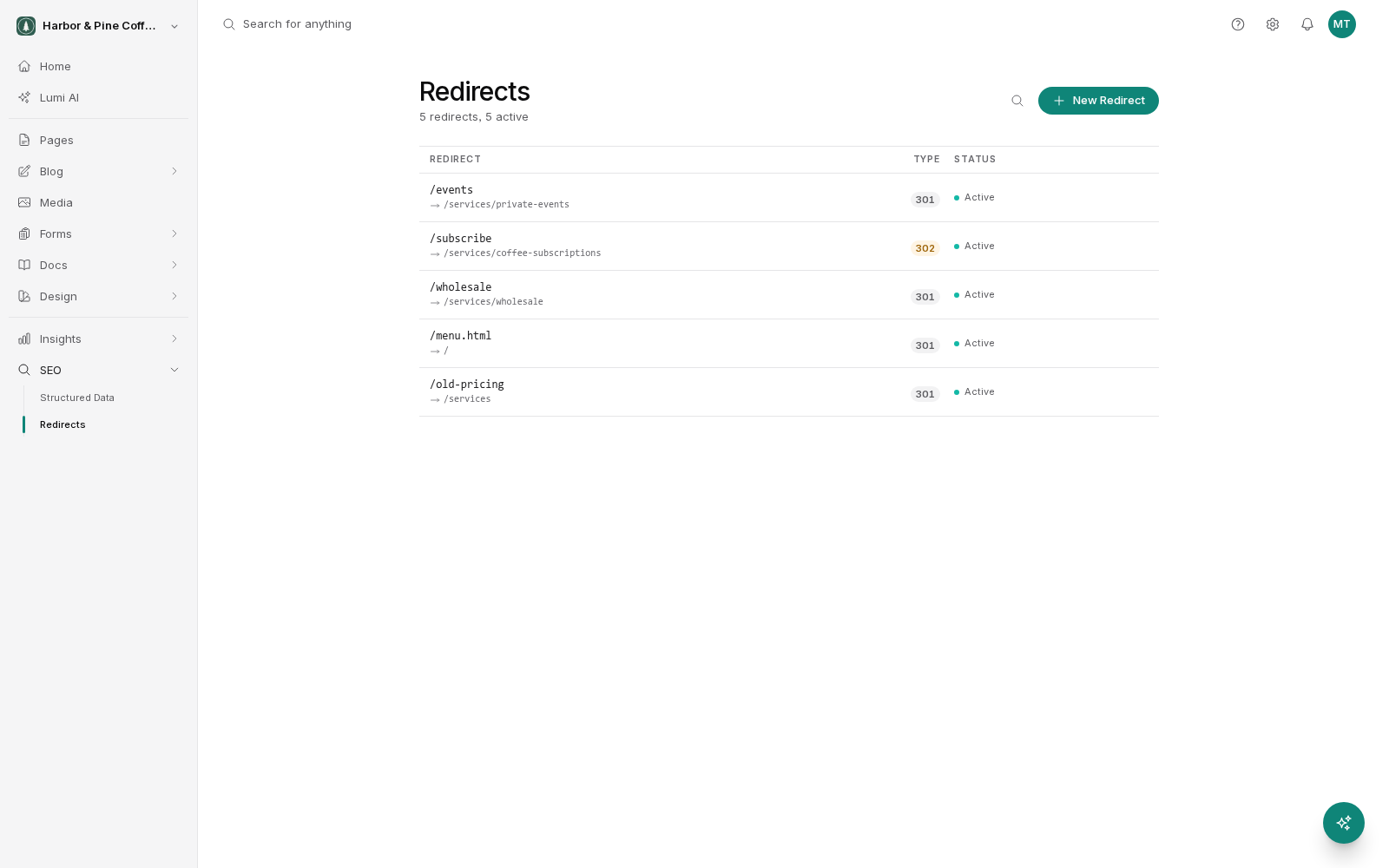
When you need one
Every time an address on your site stops working, anyone who had it saved, linked to it, or found it in search results hits a dead page. A redirect catches them and puts them where they should be.
Common cases:
- You renamed a page's slug, so its address changed.
- You deleted a page and something else now covers the topic.
- You reorganized your site and pages moved.
- You moved from an old website and its addresses were different.
- You want a short, memorable address for something with a long one, for example to put on a flyer.
Source and target
Each redirect has two parts.
- Source is the old address, the one people are arriving at. Write it as the path, the part after your domain name, starting with a slash. For example
/old-services-page. - Target is where they should end up. Usually another path on your site, such as
/services. It can also be a full address elsewhere.
Get the source exactly right, including any hyphens. A redirect with a typo in the source does nothing, and it will look like it is broken.
301 or 302, in plain terms
You choose a type when you create a redirect. Both send the visitor to the same place. The difference is what you are telling search engines and browsers.
- 301, permanent. The old address is gone for good. Search engines should update their records and pass the old page's standing on to the new one. Browsers may remember it.
- 302, temporary. This is a detour. The old address is expected back. Search engines keep the old address in their records.
Use 301 unless you have a specific reason not to. Renamed a page, moved a page, deleted a page: 301. That is almost every case.
Use 302 for genuinely temporary situations: a page down for maintenance, a seasonal promotion where the original will return, a short campaign address you will point somewhere else next month.
Because browsers can remember a 301, a mistaken one is stubborn to undo for anyone who already hit it. If you are unsure whether a move is permanent, 302 first and change it to 301 once you know.
Pausing and activating
Redirects can be paused rather than deleted. A paused redirect stops working but stays in your list, so you can turn it back on.
Pause rather than delete when you are testing whether a redirect is causing something odd, or when you have a redirect you only need at certain times of year. Delete only when you are sure you will never want it again.
Always pair a slug change with a redirect
This is the rule worth remembering. If you change a page's slug, create a redirect from the old slug to the new one.
When you rename a slug, the old address stops existing immediately. Anyone who bookmarked it, any other website linking to it, any search result still pointing at it, and any printed material with the address on it now leads to a dead page. The page itself is fine. Nobody can get to it.
The redirect takes seconds to add and removes the whole problem. Add it at the same time as you change the slug, while you still have the old slug in front of you.
The same applies to deleting a page. Send its address to whatever now covers that ground, or to a sensible parent page.
Keeping the list tidy
Redirects accumulate. That is fine, because they cost nothing. Two things to watch:
- Avoid chains. If A redirects to B and later B redirects to C, update A to point straight at C.
- Never point a redirect at itself or create a loop between two addresses. The page will not load at all.