Analytics tells you what happened in aggregate. Spotlight shows you one visit at a time. You watch a recording of how a single person moved through your site, including the pages they opened, how far they scrolled, and where they hesitated.
Spotlight is included on the Grow and Scale plans, with 2,500 sessions a month on Grow and unlimited sessions on Scale. If you are on Launch, you will not see it under Insights in the sidebar. See Plans and billing to compare plans.
Active and recent sessions
The Spotlight screen lists sessions, newest first. Sessions still in progress are marked as active, so you can see people on your site right now. Each row shows a summary of the visit: roughly when it happened, how long it lasted, how many pages the person opened, and what device and location they came from.
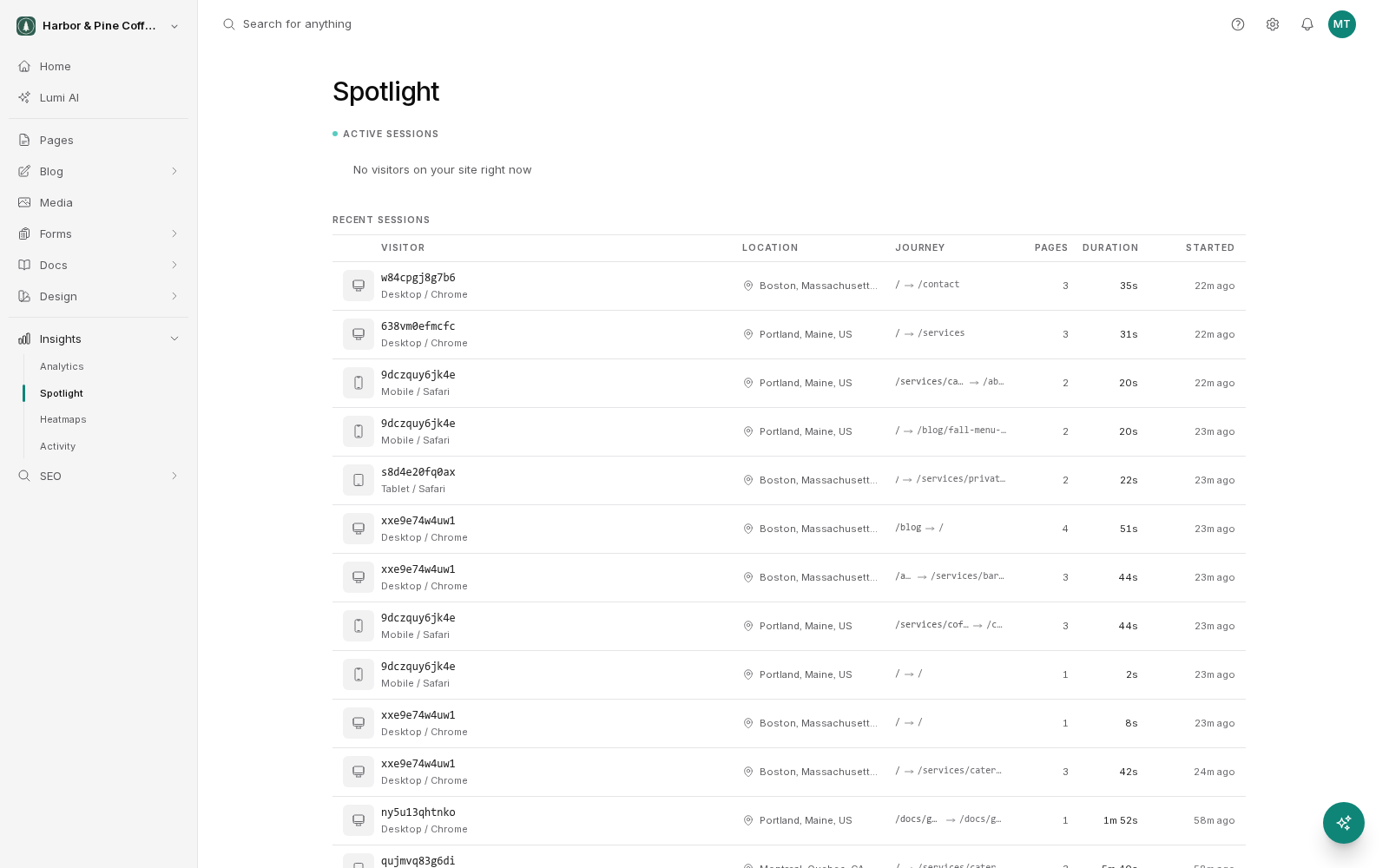
Click a row to open the session in detail.
Watching a replay
A session detail view has a replay you control like a video.
- Play and pause to follow along at the visitor's own pace.
- Scrub the timeline to jump to a specific moment, which saves watching a long visit end to end.
- Speed up playback to skim a session, then slow down at the part that interests you.
Long pauses are usually the interesting bits. A visitor sitting still on a pricing table or a form is either reading carefully or stuck, and the replay usually makes clear which.
The page journey
Alongside the replay, a table lists the pages in that session in order. It gives you the shape of the visit at a glance: where the person entered, the route they took, and the page they were on when they left.
Use it to answer questions the dashboard cannot. Did people who reached your contact form come from a service page, or straight from search? Do visitors bounce between two pages because neither answers their question?
Reading sessions well
One session is a story, not evidence. A single confused visitor does not mean your navigation is broken. Watch several sessions before drawing a conclusion, and look for the same behavior repeating.
A practical routine:
- Use analytics to find a page with a problem, such as a lot of views and few people continuing.
- Watch five or ten sessions that include that page.
- Note what people do just before they leave.
- Change one thing, then watch again a week later.
Privacy
Spotlight is meant for understanding behavior, not for identifying individuals. Treat recordings as visitor data: only give access to team members who need it, and follow whatever privacy policy your site publishes. If your site collects personal information through forms, review your privacy notice before you rely on session recording.