Lumi does better work when you ask better questions. The difference between a vague request and a specific one is usually the difference between something you throw away and something you keep.
Open Lumi with the round sparkle Ask Lumi button in the bottom-right corner of any app screen, or with Lumi AI in the sidebar for full-page chat. A new conversation offers starter prompts such as "Write a blog post", "Create a new page", "Summarize my analytics" and "Review staging changes".
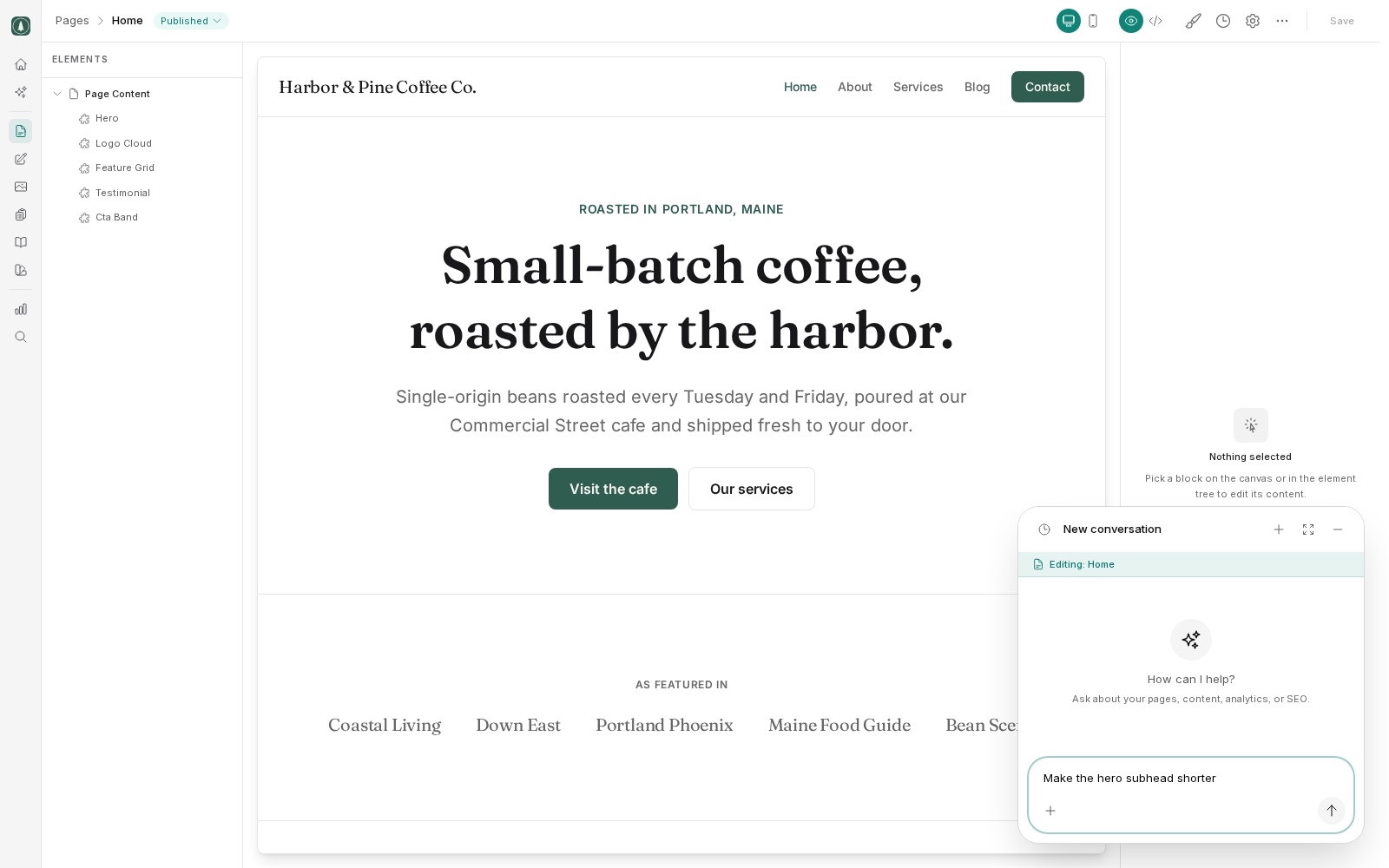
Lumi knows where you are
Lumi sees which screen you have open, and shows it above the message box, for example "Editing: About us" or "Viewing: Analytics". If you are editing a page, "shorten the intro" is enough for Lumi to know which intro you mean. When you are somewhere else, or the request touches other pages, name them.
Be specific
Three things make a request useful.
- Name the page or post. "Rewrite the intro on the Plumbing Repairs page" beats "rewrite my intro" when you are not already on that page. Lumi cannot guess which of your other pages you mean.
- Say what you want changed and why. "Shorten this to two sentences because it pushes the booking button below the fold" gives Lumi something to aim at.
- Say what good looks like. Length, tone, audience, what to avoid. "Plain language for homeowners, no industry jargon, about 100 words" produces a usable draft first time.
Compare:
- Weak: "Make my services page better."
- Better: "On the Services page, rewrite the three service descriptions so each is around 60 words, written for homeowners rather than trade, and each ends with a line about how to book."
Give context Lumi cannot see
Lumi can read your site. It cannot read your mind or your business. Tell it the things that only you know: which service is most profitable, which town you actually cover, that you no longer offer a product still described on the page. A single sentence of context often improves the output more than a long list of instructions.
Lumi asks before risky changes
Routine work, such as reading your site, creating a draft or editing a page, runs straight away. Riskier actions stop and show an Approval Required card first. These include bulk updates, global code, tracking settings, domains, team and role changes, restyling the site and creating a staging site.
You have these options.
- Approve: Lumi goes ahead as described.
- Edit & Approve (full-page chat): adjust the details, then let Lumi go ahead with your version.
- Reject: nothing happens. Say why, and Lumi adjusts its plan.
Destructive actions, such as deleting content, restoring an older version, promoting or discarding a staging site and removing a team member, show a stronger warning. A pending approval expires after 5 minutes if you do not answer it.
Read the card rather than approving on reflex. It is much easier to correct a plan than to undo a change across ten pages.
Lumi can only do what your role allows. Every action is checked against your permissions, so it cannot do anything you could not do yourself.
Work in draft
Ask Lumi to leave changes as drafts. You then review the result in the editor, fix what needs fixing, and publish yourself.
This matters because AI writing has predictable weaknesses. It invents details it has no way of knowing, such as prices, opening hours, certifications and years in business. It writes fluently enough that a wrong fact reads as smoothly as a right one. And it tends toward generic phrasing that makes your business sound like every other business.
Always review before publishing
Check these every time:
- Facts. Prices, phone numbers, addresses, hours, qualifications, guarantees. Anything a customer could act on.
- Claims. Delete anything you cannot stand behind. Regulated trades should be especially careful here.
- Voice. Does it sound like you, or like a template? Cut the sentences that could appear on any competitor's site.
- Links. Confirm internal links go where they should.
Iterate in small steps
Ask for one thing, look at the result, then ask for the next. A long list of instructions in one message tends to produce something that half-satisfies all of them. Short exchanges keep you in control and make it obvious which request produced which result.
If a draft is close but wrong in one respect, say exactly what is wrong rather than asking for a rewrite. "Keep this but cut the second paragraph and make the ending a question" works better than starting over.