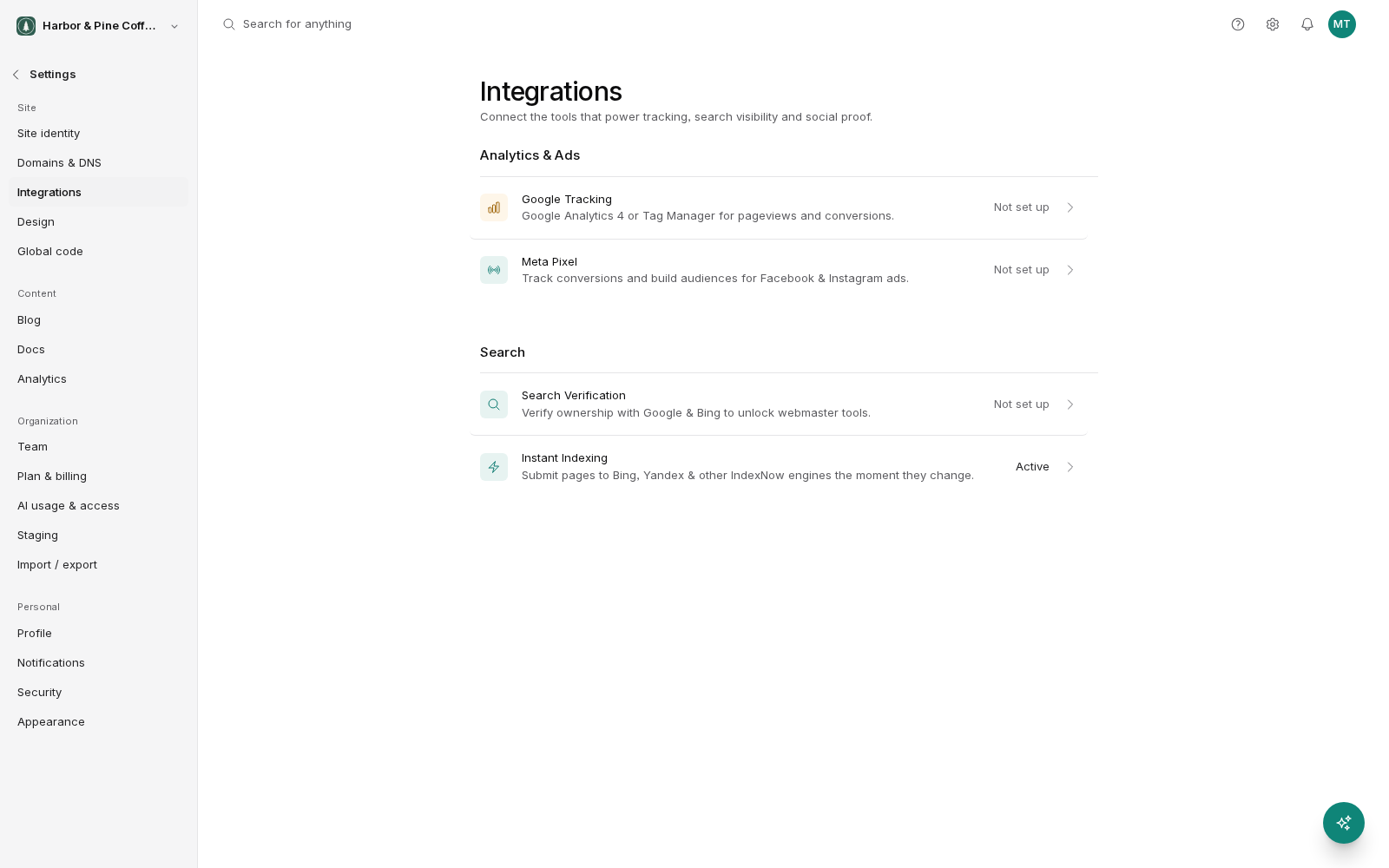
Settings → Integrations connects outside services to your site. You paste in an ID or a verification code and BrightSite adds what the service needs to every page. There is no code to edit.
The integrations are grouped into sets: Analytics & Ads and Search, plus Social Proof when Google Reviews is switched on for your account.
Analytics and ads
These track visitor behavior and let advertising platforms measure results. Tag Manager and GA4 are both under the Google Tracking row.
- Google Tag Manager: a container that lets you add and manage other tracking tags without changing your site. If you use several tracking tools, or an agency manages your tracking, this is often the only one you need. Paste in your container ID.
- Google Analytics 4: Google's analytics. Paste in your measurement ID. You can connect GA4 directly here, or through Tag Manager. Do not do both, or you will count every visit twice.
- Meta Pixel: tracks conversions from Facebook and Instagram advertising and builds audiences for retargeting. Paste in your pixel ID. Only worth adding if you advertise on those platforms.
Once connected, give it a day before judging whether it works. Most of these platforms take time to show their first data.
Search
The Search Verification row proves to search engines that you own the site, which lets you see how it performs in their results.
- Google Search Console: paste in the verification code Google gives you. Once verified, Search Console shows which searches bring people to your site, which pages are indexed, and any problems Google found crawling it. This is the most useful free tool for understanding your search performance, and worth setting up even if you do nothing else in this list.
- Bing: the same idea for Bing Webmaster Tools. Bing sends less traffic than Google for most sites, but verification takes a minute and it also covers search inside some AI assistants.
For both, get the verification code from the service, paste it here, save, then go back to the service and confirm verification.
The Instant Indexing row is also in this group. It tells Bing, Yandex and other IndexNow search engines when a page changes, and only sends anything once your custom domain is live. See Search engine indexing.
Social proof
- Google Reviews: pulls your reviews from your Google Business Profile so you can show them on your site. Reviews are among the most persuasive things you can put on a page, particularly for local businesses. This group only appears when Google Reviews is switched on for your account. If you do not see it, contact support.
Which ones you actually need
Most sites need fewer of these than they end up with. A reasonable starting point:
- Everyone: Google Search Console.
- If you want detail beyond the built-in analytics: GA4.
- If you advertise on Facebook or Instagram: Meta Pixel.
- If an agency runs your tracking, or you have several tools: Tag Manager.
- If you have good Google reviews: Google Reviews.
Every tracking tool you add slows your pages down slightly and gives you another thing to keep working. Add what you will actually use, and remove what you stopped using.
BrightSite analytics still works
These integrations are additions, not replacements. BrightSite's own analytics run regardless, so you have visitor numbers without connecting anything.
Expect the numbers between BrightSite and GA4 to differ. They count differently, and no two analytics tools agree exactly. Pick one as your reference for reporting and use the others for what each is good at.
Before you connect anything
Tracking involves visitor data. Depending on where you and your visitors are, you may need a privacy policy explaining what you collect and a cookie notice. Check what applies to you.