Settings → Site Identity holds the basic facts about your business and your site. These few fields are reused in more places than you would expect, including browser tabs, search results, social shares, and the structured data search engines read.
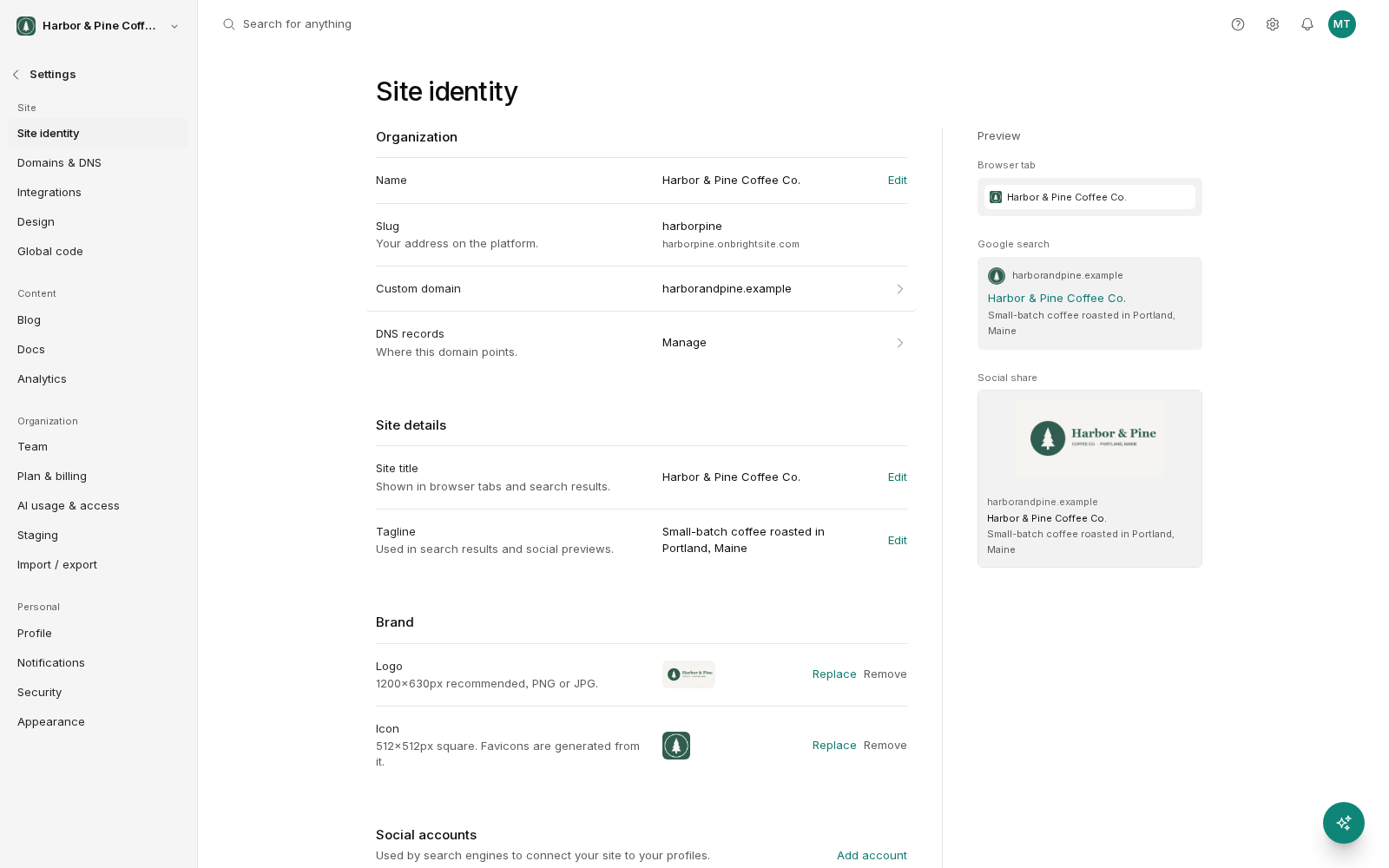
Organization details
Your organization details describe the business behind the site: its name, and the contact and location information you want associated with it.
Fill these in accurately and keep them consistent with what you have published elsewhere, such as your Google Business Profile, your social accounts and your invoices. Search engines cross-reference these details, and mismatched information about the same business is worth avoiding.
Site title
The site title is your site's name. It appears in the browser tab, in search results, and as the fallback title when a page does not set its own.
Use the name people know you by. Keep it short. Long titles get cut off in search results and in browser tabs. Resist the urge to stuff keywords in; a title reading "Business Name | Service | City | Service" looks like spam to readers and does not help.
Tagline
The tagline is a short line describing what you do. It supports the title in the places both appear together.
Say what you actually do, plainly. "Family dentistry in Portland" beats "Redefining the smile experience". Someone scanning search results is deciding in a second or two whether you are relevant.
Logo
Your logo is used in your site's design and where a visual representation of your brand is needed.
Upload the highest-quality version you have. A file with a transparent background works across the widest range of placements. If your logo has fine detail or small text, check it at the size it actually appears. Logos that look fine at full size often turn to mush in a header.
Site icon
The site icon is the small square image in a browser tab and in bookmarks. It is sometimes called a favicon.
It is tiny, so your full logo rarely works. Use a simple mark such as a single letter, a symbol or one strong shape. Test it by opening your site in a tab alongside a few others and seeing whether you can pick yours out.
The live preview
Site Identity shows a preview of how your site appears in three places, updating as you type:
- A browser tab. Your site icon and the start of your title. Confirms the icon is legible and the title is not truncated to something odd.
- A Google result. How your listing looks in search. Confirms the title and description read well and fit.
- A social share. How a link to your site looks when posted to social media or pasted into a chat. Confirms the image, title and description work together.
The social preview is the one most worth checking. Links get shared far more than people expect, and a link with a missing image and a truncated title looks careless.
Page-level overrides
Site identity sets the defaults. Individual pages and blog posts can set their own title, description and share image, and those override the site-wide values for that page.
Set site identity once, well. Then override it on the pages that matter most, such as your homepage, your main service pages, and anything you actively promote.
A quick checklist
- Site title is your real business name, short enough not to be cut off.
- Tagline says what you do in plain words.
- Logo is high quality and readable at header size.
- Site icon is legible at tab size.
- The social preview shows an image, a title and a description.
- Organization details match what you have published elsewhere.